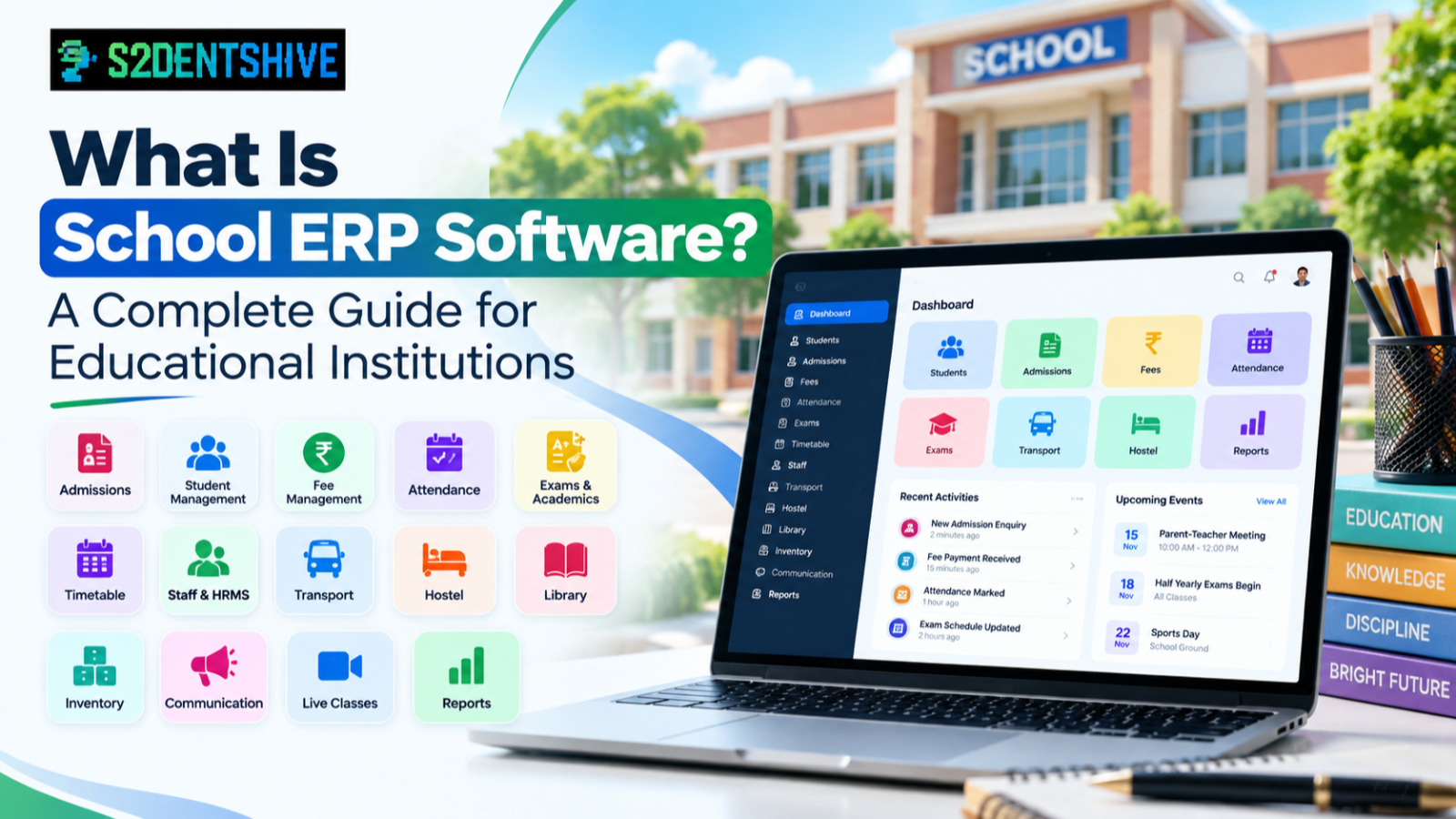

A Complete Guide for Educational Institutions
Managing an educational institution involves much more than teaching and classroom activities. School administrators and management teams have to handle student records, admissions, fees, attendance, examinations, staff, communication, transportation, hostel operations, inventory and many other day-to-day activities.
When these activities are managed through separate registers, spreadsheets and multiple applications, it can become difficult to maintain accurate information and coordinate different departments.
School ERP software provides a centralized digital system that brings these activities together on a single platform.
In this guide, we explain what school ERP software is, how it works, its important modules, benefits, implementation process and what educational institutions should consider before selecting an ERP system.
What Is School ERP Software?
School ERP stands for School Enterprise Resource Planning software.
It is a centralized software platform designed to help schools and other educational institutions manage their academic, administrative and operational activities digitally.
Instead of using separate systems for fees, admissions, attendance, examinations, staff management and communication, an ERP can connect these functions within one system.
For example, when a student is admitted, their information can become available to the relevant modules of the system. The same student record can then be used for attendance, fee management, examinations, communication and other administrative processes.
This creates a centralized source of information for the institution.
Why Do Educational Institutions Need School ERP Software?
Traditional school administration often involves multiple tools and manual processes.
An institution may use:
-
Excel spreadsheets for student records
-
Paper registers for attendance
-
Separate software for fee collection
-
Messaging applications for parent communication
-
Manual processes for admissions
-
Different systems for examinations
-
Registers for inventory and library management
-
Separate tools for staff and payroll management
Although these methods can work for smaller operations, managing information across multiple systems can become increasingly difficult as the institution grows.
A school ERP can bring these processes together.
The objective is not simply to replace paper with software. The larger goal is to create a connected management system where information can be accessed and managed from one centralized platform.
How Does School ERP Software Work?
A school ERP generally consists of multiple modules that share common institutional data.
A simplified workflow can look like this:
Admission → Student Profile → Fees → Attendance → Examination → Communication → Reports
For example:
-
An admission enquiry is created.
-
The student completes the admission process.
-
The student's profile is created.
-
Fee structures and applicable fees are assigned.
-
Attendance can be recorded.
-
Examination and academic information can be managed.
-
Parents can receive relevant notifications.
-
Administrators can view reports and dashboards.
Because these processes are connected, administrators do not need to repeatedly enter the same information into different systems.
Important Modules of School ERP Software
A modern school ERP can include many modules depending on the requirements of the institution.
1. Student Management
Student management is one of the core components of an ERP.
It can help institutions maintain:
-
Student profiles
-
Personal information
-
Parent and guardian information
-
Academic information
-
Documents
-
Class and section details
-
Student status
-
Student history
A centralized student profile allows administrators to access important information without searching through multiple registers or files.
2. Admission Management
Admission management helps institutions organize the complete admission workflow.
Common capabilities include:
-
Admission enquiries
-
Lead management
-
Follow-ups
-
Online admission forms
-
Applicant records
-
Document management
-
Student registration
-
Admission reports
An admission management system can help reduce paperwork and give administrators better visibility into the admission pipeline.
3. Fee Management
Fee management is one of the most important administrative functions of an educational institution.
A school ERP can help manage:
-
Fee structures
-
Fee groups
-
Fee terms
-
Student fee assignments
-
Discounts
-
Payments
-
Pending fees
-
Receipts
-
Payment links
-
Fee reminders
-
Collection reports
Digital fee management can make it easier for administrators to monitor collections and identify pending payments.
4. Attendance Management
Attendance management allows institutions to digitally record and monitor student attendance.
Depending on the ERP, institutions may be able to manage:
-
Daily attendance
-
Class-wise attendance
-
Attendance reports
-
Student attendance history
-
Parent notifications
-
Digital or camera-based attendance
Digital attendance can reduce manual record keeping and make attendance information easier to access.
5. Examination Management
Examination management helps schools organize academic assessment processes.
A school ERP may provide tools for:
-
Exam creation
-
Exam schedules
-
Subjects
-
Marks
-
Grades
-
Results
-
Rankings
-
Report cards
-
Academic reports
Digital examination management can reduce repetitive data entry and simplify result preparation.
6. Timetable Management
Creating and maintaining timetables manually can become complicated when an institution has many classes, teachers and subjects.
Timetable management can help administrators organize:
-
Classes
-
Subjects
-
Teachers
-
Periods
-
Rooms
-
Sections
-
Teacher schedules
A digital timetable also makes it easier to update schedules when changes occur.
7. Staff Management and HRMS
Educational institutions manage a large amount of employee information.
A school ERP with HRMS capabilities can help manage:
-
Employee profiles
-
Staff roles
-
Attendance
-
Leave
-
Departments
-
Employment information
-
Staff documents
-
Employee history
This can provide administrators with a centralized view of their workforce.
8. Payroll Management
Payroll management can be connected with staff and attendance information.
Depending on the system, payroll functionality may include:
-
Salary structures
-
Employee salary records
-
Attendance information
-
Leave information
-
Deductions
-
Payroll processing
-
Salary reports
This can reduce repetitive administrative work associated with monthly payroll processing.
9. Transport Management
School transportation involves vehicles, drivers, routes, students and boarding points.
Transport management can help institutions manage:
-
Vehicles
-
Drivers
-
Conductors
-
Routes
-
Boarding points
-
Student transport assignments
-
Trips
-
Vehicle information
-
Transport tracking
A centralized transport module can provide administrators with better visibility into transportation operations.
10. Hostel Management
For institutions with hostels, managing rooms and student allocations can be challenging manually.
Hostel management can help manage:
-
Hostels
-
Rooms
-
Beds or seats
-
Student allocations
-
Vacancies
-
Occupancy
-
Hostel records
This allows administrators to understand room availability and student allocation from one system.
11. Library Management
Library management can help institutions digitally organize their library operations.
Typical functionality may include:
-
Books
-
Authors
-
Categories
-
Book copies
-
Issue and return
-
Student transactions
-
Staff transactions
-
Library reports
12. Inventory Management
Schools manage many physical assets and consumable items.
Inventory management can help track:
-
Items
-
Categories
-
Vendors
-
Purchases
-
Assets
-
Stock
-
Allocations
-
Inventory transactions
Digital inventory management provides better visibility into what the institution owns and how resources are being used.
13. Communication Management
Communication is an important part of the relationship between educational institutions, students and parents.
A school ERP can centralize communication related to:
-
Fee reminders
-
Attendance
-
Announcements
-
Events
-
Academic information
-
Notices
-
Notifications
Instead of managing different types of information through disconnected applications, institutions can use a centralized communication system.
14. Live Classes
Modern educational institutions may also require online teaching capabilities.
A school ERP with live class functionality can help institutions organize:
-
Online classes
-
Class schedules
-
Teacher sessions
-
Student access
-
Online learning activities
This can bring classroom management and online teaching closer together.
Benefits of School ERP Software
Implementing an ERP can provide several operational benefits.
Centralized Information
One of the biggest advantages is having institutional information available from a centralized system.
Administrators can access relevant student, staff, fee and academic information without switching between multiple applications.
Reduced Manual Work
Automating repetitive processes can reduce administrative workload.
Tasks such as fee reminders, receipts, reports and data management can be handled digitally.
Better Data Accuracy
When information is maintained across multiple spreadsheets and registers, duplicate or inconsistent data can occur.
A centralized system can help reduce unnecessary duplication.
Faster Access to Information
Administrators can search and access information quickly instead of manually checking physical records or multiple files.
Improved Parent Communication
Digital notifications and centralized communication can make it easier to keep parents informed about important school activities.
Better Administrative Visibility
Dashboards and reports can give management teams a clearer view of institutional operations.
For example, administrators may monitor:
-
Fee collection
-
Pending fees
-
Attendance
-
Admissions
-
Student numbers
-
Staff information
-
Academic results
Better Collaboration Between Departments
When departments use connected systems, information can flow more easily between administration, academics, accounts and other departments.
School ERP vs Multiple Applications
Many educational institutions use different applications for different functions.
For example:
Application 1: Fees
Application 2: Attendance
Application 3: Transport
Application 4: Admissions
Application 5: Communication
Application 6: Staff management
This approach can create challenges such as:
-
Multiple logins
-
Duplicate data entry
-
Separate reports
-
Data synchronization issues
-
Higher administrative complexity
A centralized ERP takes a different approach by bringing multiple functions into one platform.
The right choice depends on the institution's size, requirements, budget and existing technology environment.
Cloud-Based School ERP
Cloud-based school ERP software is hosted on online infrastructure rather than being limited to a particular computer or local server.
This can provide advantages such as:
-
Access from different locations
-
Centralized data
-
Easier updates
-
Reduced dependence on local infrastructure
-
Access through web browsers and supported devices
For institutions with multiple departments or campuses, centralized cloud access can be particularly useful.
How to Choose School ERP Software
Before selecting an ERP, school management should evaluate the system based on actual institutional requirements.
Consider the following factors:
1. Required Modules
Identify the modules your institution actually needs.
For example:
-
Student management
-
Fees
-
Admissions
-
Attendance
-
Exams
-
Transport
-
HRMS
-
Payroll
-
Hostel
-
Library
-
Inventory
-
Communication
2. Ease of Use
A system may have many features, but it should also be easy for administrators, teachers and other staff members to use.
3. Scalability
The system should be capable of supporting the institution as the number of students, staff and departments grows.
4. Security
Student, parent, employee and financial information should be protected through appropriate access controls and security practices.
5. Reporting
Check whether the system provides useful dashboards and reports for management and administrative teams.
6. Support and Training
Implementation is easier when the software provider offers appropriate support, documentation and training.
7. Integration
Consider whether the ERP can connect the different operational processes that your institution currently manages separately.
How to Implement a School ERP
Successful ERP implementation usually requires more than simply purchasing software.
A practical implementation process can include:
Step 1: Identify Requirements
List the administrative and academic processes that need to be digitized.
Step 2: Select Modules
Decide which ERP modules should be implemented initially.
Step 3: Prepare Data
Clean and organize existing student, staff and other institutional data.
Step 4: Configure the System
Set up academic years, classes, sections, fee structures, users, roles and other institutional settings.
Step 5: Train Users
Provide appropriate training to administrators, teachers, accountants and other users.
Step 6: Launch Gradually
Institutions can start with essential modules and gradually expand the use of the ERP.
Step 7: Monitor and Improve
Review the implementation regularly and identify areas where workflows can be improved.
How S2DENTSHIVE Helps Educational Institutions
S2DENTSHIVE is a centralized school and educational institution management platform designed to bring multiple administrative and academic processes together.
Depending on the institution's requirements, S2DENTSHIVE provides modules for areas such as:
-
Student management
-
Admission management
-
Fee management
-
Attendance
-
Examination management
-
Timetable management
-
Transport management
-
Hostel management
-
Staff management
-
HRMS
-
Payroll
-
Library management
-
Inventory management
-
Communication
-
Live classes
The objective is to help educational institutions manage their operations through a centralized system instead of relying on multiple disconnected applications.
You can learn more about the platform through the S2DENTSHIVE School ERP and individual module pages.
Frequently Asked Questions
What is school ERP software?
School ERP software is a centralized digital platform that helps educational institutions manage administrative, academic and operational activities such as students, admissions, fees, attendance, examinations, staff and communication.
Is school ERP software only for schools?
No. ERP platforms can also be used by other educational institutions depending on their features and workflows, including academies, coaching institutes and other education organizations.
What are the main modules of school ERP software?
Common modules include student management, admissions, fee management, attendance, examinations, timetable, transport, staff management, HRMS, payroll, hostel, library, inventory and communication.
Can school ERP software manage online fee payments?
Many modern school ERP platforms provide online payment capabilities, including payment links, digital receipts, payment tracking and automated reminders.
Can school ERP software manage staff and payroll?
Yes. ERP platforms with HRMS and payroll functionality can help institutions manage employee information, attendance, leave, salary structures and payroll processes.
Is cloud-based school ERP better than manual management?
Cloud-based ERP can provide centralized access, automation and easier information management. The suitability depends on the institution's requirements, infrastructure and implementation approach.
How long does school ERP implementation take?
Implementation time varies depending on the size of the institution, number of modules, existing data and level of customization required.
How much does school ERP software cost?
School ERP pricing varies depending on the number of students, modules, users, implementation requirements and services included. Educational institutions should compare the total cost with the features and support provided.
Conclusion
School ERP software has become an important technology for educational institutions looking to organize their academic, administrative and operational processes digitally.
Instead of managing admissions, fees, attendance, examinations, staff, transport and communication through disconnected systems, an ERP can bring these processes together within a centralized platform.
The right solution should not simply offer a large number of features. It should help the institution create efficient workflows, provide useful information to administrators and make everyday management easier.
For educational institutions looking to move toward centralized digital management, S2DENTSHIVE provides a range of integrated modules designed to support school and institutional operations from one platform.
Comments (0)
Share your thoughts or ask a question about this article.
Leave a Comment