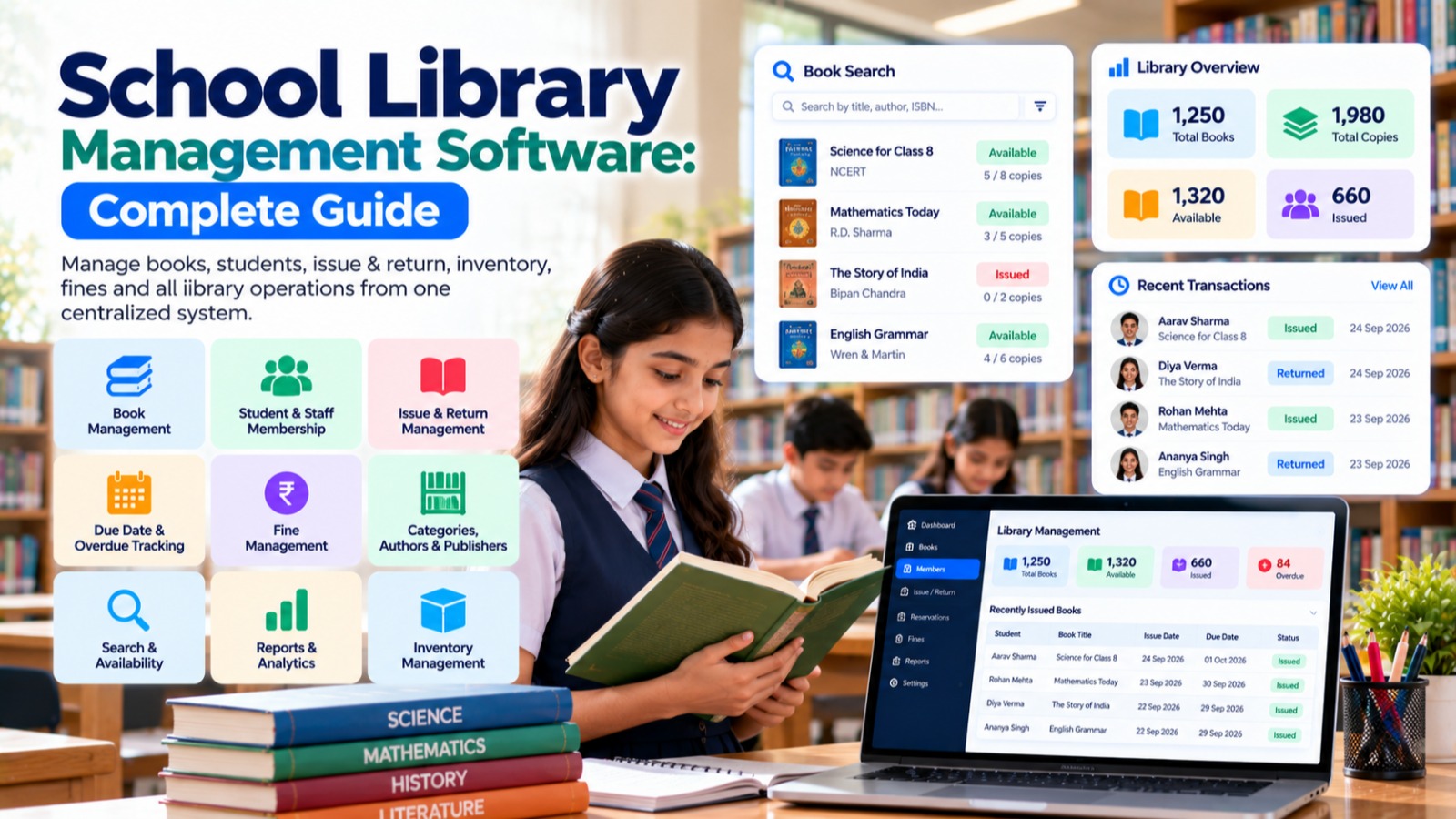

A school library is an important part of the learning environment. Managing books, students, teachers, issue records, returns, reservations, fines, and inventory manually can become difficult as the number of books and library users increases.
School Library Management Software helps schools digitize library operations and manage books, members, circulation, availability, and library records from a centralized system.
Instead of maintaining multiple registers and spreadsheets, librarians and school administrators can use a digital platform to manage library activities more efficiently.
Modern School ERP platforms such as S2DENTSHIVE provide Library Management Software as part of a centralized School ERP, allowing schools to manage library operations alongside students, staff, admissions, attendance, fees, examinations, timetable, hostel, transport, inventory, communication, and other school functions.
This guide explains what School Library Management Software is, its key features, benefits, implementation process, and how S2DENTSHIVE can help schools manage their libraries more effectively.
What Is School Library Management Software?
School Library Management Software is a digital solution that helps schools manage their library resources and day-to-day library operations.
It can help librarians maintain information about:
- Books
- Authors
- Publishers
- Categories
- Book copies
- Students
- Teachers
- Library members
- Book issue records
- Return records
- Reservations
- Due dates
- Fines
- Lost or damaged books
- Library reports
Instead of searching through physical registers, librarians can use a centralized digital system to find books, check availability, issue books, record returns, and review library activity.
Why Do Schools Need Library Management Software?
A school library may contain hundreds or thousands of books.
As the library grows, manually managing every book and transaction becomes increasingly difficult.
A school library may need to track:
- Which books are available?
- Which books are currently issued?
- Who has borrowed a particular book?
- When is the book due?
- Which student has overdue books?
- How many books are in each category?
- Which books are lost or damaged?
- How many books were issued this month?
Managing this information using paper registers or multiple Excel files can consume significant administrative time.
Library management software brings this information together in one organized system.
Common Problems With Manual Library Management
Schools using traditional library registers may face:
- Slow book searches
- Incorrect issue records
- Missing return information
- Difficulty tracking overdue books
- Manual fine calculations
- Duplicate records
- Difficulty tracking book inventory
- Time-consuming reports
- Difficulty identifying available books
- Lost or misplaced records
- Limited visibility into library usage
A digital library management system can help address these challenges.
Key Features of School Library Management Software
A complete library management solution should cover the entire library circulation process.
1. Digital Book Catalog
The system should maintain a digital catalog of the school's books.
Book records can include:
- Book title
- Author
- Publisher
- ISBN
- Category
- Subject
- Edition
- Language
- Publication year
- Book code
- Shelf location
- Number of copies
- Availability status
This makes it easier for librarians to find and manage books.
2. Book Category Management
Schools have books covering many subjects and categories.
Examples include:
- Mathematics
- Science
- English
- Hindi
- Social Science
- Computer Science
- Literature
- History
- Geography
- Reference Books
- Competitive Exams
- General Knowledge
- Fiction
- Non-Fiction
Categories make the library catalog easier to organize and search.
3. Author and Publisher Management
Libraries may contain books from hundreds of authors and publishers.
A digital system can maintain structured information about:
- Authors
- Publishers
- Books
- Editions
- Categories
This makes book management more organized.
4. Book Copy Management
A school may have multiple copies of the same book.
For example:
Book: Mathematics – Class 8
Total Copies: 10
Issued: 7
Available: 3
Copy-level management allows librarians to track individual books more accurately.
5. Student Library Membership
Students can be registered as library members using their existing student information.
The library system can maintain:
- Student name
- Admission number
- Class
- Section
- Library membership
- Books issued
- Return history
- Pending books
- Overdue books
When library management is integrated with student management, there is less need to enter student information repeatedly.
6. Teacher and Staff Library Membership
Libraries are not only used by students.
Teachers and other authorized staff may also borrow books.
The system can support different member types such as:
- Students
- Teachers
- Staff
- Administrators
Different borrowing rules can be applied depending on the school's policies.
7. Book Issue Management
Book issue management is one of the core features of library software.
A librarian can record:
- Member
- Book
- Issue date
- Due date
- Book copy
- Issuing staff member
This creates a digital record of every book transaction.
8. Book Return Management
When a book is returned, the librarian can update its status digitally.
The system can record:
- Return date
- Book condition
- Late return
- Fine
- Return status
The book can then become available for another library member.
9. Due Date Management
Every issued book may have a defined return date.
The system can help librarians identify:
- Books due today
- Overdue books
- Upcoming due books
- Long-pending books
This reduces the need to manually check issue registers.
10. Overdue Book Management
Overdue books can become difficult to track when managed manually.
Library management software can provide lists of:
- Overdue students
- Overdue teachers
- Overdue books
- Number of overdue days
- Pending returns
This allows librarians to follow up more efficiently.
11. Fine Management
Schools may have library policies for late returns, lost books, or damaged books.
A library system can maintain:
- Fine amount
- Reason
- Member
- Book
- Due date
- Return date
- Payment status
If integrated with School ERP fees, library-related charges can potentially be connected with the broader financial system according to the school's workflow.
12. Book Reservation
Popular books may not always be available.
A reservation feature can allow authorized users to request books that are currently issued.
For example:
Book: Science Encyclopedia
Status: Currently Issued
Reservation: Student requested
When the book is returned, the librarian can process the reservation.
13. Book Availability Search
A digital library should make searching for books quick and simple.
Librarians can search by:
- Title
- Author
- ISBN
- Category
- Subject
- Book code
- Publisher
The system can show whether the book is:
Available | Issued | Reserved | Lost | Damaged
This saves significant time compared with searching through physical registers.
14. Shelf and Location Management
Large school libraries may contain many shelves and sections.
The system can store shelf or location information such as:
Section: Science
Shelf: S-04
Row: 3
This helps librarians locate books more quickly.
15. Lost and Damaged Book Management
Books can occasionally be lost or damaged.
The library system can maintain records of:
- Lost books
- Damaged books
- Member responsible
- Replacement requirements
- Fine or recovery amount
- Status
This provides better control over library assets.
16. Library Dashboard
A library dashboard can provide a quick overview of library operations.
For example:
- Total books
- Total copies
- Available books
- Issued books
- Reserved books
- Overdue books
- Lost books
- Damaged books
- Active members
- Today's transactions
This allows administrators to understand library activity at a glance.
17. Library Reports
Reports are important for monitoring library operations.
Useful reports may include:
- Book inventory report
- Issued books report
- Returned books report
- Overdue books report
- Student-wise issue report
- Teacher-wise issue report
- Category-wise books
- Author-wise books
- Most-issued books
- Lost book report
- Damaged book report
- Fine report
- Library transaction report
Digital reports are much easier to generate than manually compiling information.
18. Library Inventory Management
A school library is also responsible for managing physical book inventory.
Library management software can help administrators understand:
- Total books
- New books
- Available copies
- Issued copies
- Lost copies
- Damaged copies
- Removed books
This gives the school better visibility into its library resources.
19. Library Notifications
An integrated School ERP can help schools communicate library-related information.
Notifications can be used for:
- Due date reminders
- Overdue books
- Reservation availability
- Return reminders
- Library announcements
This can reduce the need for manual follow-ups.
Benefits of School Library Management Software
Implementing library management software can provide several benefits.
1. Faster Book Search
Librarians can search for books digitally instead of checking physical registers.
2. Better Book Tracking
Schools can see which books are available, issued, overdue, lost, or damaged.
3. Reduced Manual Work
Digital issue and return records reduce repetitive paperwork.
4. Better Inventory Control
Schools can maintain a more accurate record of library books and copies.
5. Easier Overdue Management
Librarians can quickly identify pending and overdue books.
6. Better Student Records
Library transactions can be connected with student profiles.
7. Faster Reports
Library reports can be generated without manually calculating information.
8. Better Resource Utilization
Schools can understand which books are being used and which resources may need attention.
9. Improved Communication
Digital reminders can help students and teachers return books on time.
10. Centralized School Management
Library operations can be connected with the wider School ERP.
School Library Management Software vs Excel
Excel can be used to maintain a basic list of books, but it becomes difficult to manage a complete library operation using spreadsheets.
| Feature | Excel/Manual | Library Management Software |
|---|---|---|
| Book catalog | Yes | Yes |
| Book search | Basic | Advanced |
| Book issue | Manual | Digital |
| Book return | Manual | Digital |
| Due date tracking | Manual | System-based |
| Overdue tracking | Manual | Easier |
| Fine management | Manual | Structured |
| Reservations | Difficult | Possible |
| Student integration | No | Yes |
| Teacher integration | No | Yes |
| Reports | Manual | Structured |
| Notifications | Limited | Possible |
| School ERP integration | No | Yes |
For schools with a large library, dedicated library management software can make day-to-day operations considerably easier.
How Library Management Fits Into a School ERP
Library management becomes more useful when it is integrated with the school's other systems.
For example:
Student → Class → Library Membership → Book Issue → Due Date → Return → Library History
A student's existing information can be connected to their library activity.
The library can also connect with:
- Student Management
- Staff Management
- Fees
- Attendance
- Communication
- Inventory
- Reports
This reduces duplicate data entry and helps create a centralized school management environment.
S2DENTSHIVE Provides School Library Management Software
S2DENTSHIVE provides Library Management as part of its centralized School ERP platform.
Schools can manage library operations alongside their other academic and administrative activities instead of depending on a separate library application.
S2DENTSHIVE's integrated School ERP approach can help schools organize areas such as:
- Library Management
- Book Management
- Student Management
- Staff Management
- Admissions
- Attendance
- Fees Management
- Examinations
- Report Cards
- Timetable Management
- Homework and Assignments
- Hostel Management
- Transport Management
- Inventory Management
- Events and Activities
- Expenses
- Communication
- Reports and Dashboards
- Live Classes
This centralized approach helps school owners and principals manage multiple school functions through one platform.
Why Use S2DENTSHIVE for School Library Management?
A major advantage of an integrated School ERP is that library management does not have to operate independently.
For example, instead of maintaining separate student records in the library system, the library can use the school's existing student information.
A typical workflow can be:
Student Profile → Library Membership → Book Issue → Due Date → Return → Library History
Similarly, staff members can be connected to the same centralized system.
This can reduce duplicate records and make school administration more organized.
How Schools Can Manage Their Library Using S2DENTSHIVE
A typical workflow can include the following steps.
Step 1: Set Up Library Categories
Create categories such as Science, Mathematics, Literature, Reference, and others.
Step 2: Add Books
Enter book information such as title, author, publisher, ISBN, category, and copies.
Step 3: Organize Book Locations
Configure shelves or locations where books are stored.
Step 4: Manage Library Members
Use student and staff information to identify authorized library members.
Step 5: Issue Books
Record book issue transactions with the member and due date.
Step 6: Track Returns
Update the transaction when the book is returned.
Step 7: Monitor Overdue Books
Review books that have passed their due dates.
Step 8: Manage Fines or Charges
Record applicable fines according to the school's library policy.
Step 9: Monitor Inventory
Review available, issued, lost, and damaged books.
Step 10: Generate Reports
Use library reports to monitor circulation and inventory.
Who Can Benefit From School Library Management Software?
Library management software can be useful for:
- Private schools
- CBSE schools
- ICSE schools
- State board schools
- International schools
- Boarding schools
- K-12 schools
- School groups
- Multi-branch institutions
- Educational organizations
It is particularly useful for schools with large book collections and high library usage.
What Should Schools Look for in Library Management Software?
Before selecting library management software, school administrators should consider the following features.
1. Digital Book Catalog
The software should provide a structured catalog for all books.
2. Easy Search
Librarians should be able to find books quickly.
3. Issue and Return
Book circulation should be simple and accurate.
4. Due Date Management
The system should help identify upcoming and overdue returns.
5. Student Integration
Library records should connect with student profiles.
6. Staff Integration
Teachers and staff should be supported as library members where required.
7. Inventory Management
Schools should be able to track book copies and their status.
8. Reports
The system should provide useful circulation and inventory reports.
9. Notifications
Due-date and overdue reminders can improve book return management.
10. School ERP Integration
Library management should ideally work with student, staff, fees, inventory, communication, and other school modules.
Future of School Library Management
School libraries are increasingly becoming digital learning environments rather than simply book storage areas.
Modern library management systems are moving toward:
- Digital catalogs
- Mobile access
- Automated reminders
- Better circulation analytics
- Online book reservations
- Barcode and QR-based management
- Digital resource management
- Student reading analytics
- Automated reports
- Integration with School ERP
Future systems may also use AI to help schools understand reading patterns and recommend relevant resources.
The objective is to make school libraries more accessible, organized, and useful for students and teachers.
Conclusion
A well-managed school library can play an important role in supporting student learning and academic development. However, managing hundreds or thousands of books manually can create unnecessary administrative work.
School Library Management Software helps schools digitize book catalogs, issue and return records, due dates, reservations, fines, inventory, members, and reports.
When library management is integrated with a School ERP, schools can connect library activity with existing student and staff information instead of maintaining separate databases.
S2DENTSHIVE provides School Library Management as part of its centralized School ERP, allowing schools to manage library operations alongside students, staff, admissions, attendance, fees, examinations, timetable, hostel, transport, inventory, communication, live classes, and other school operations.
For school owners and principals, using one centralized system can simplify administration and reduce the need for multiple disconnected applications.
Comments (0)
Share your thoughts or ask a question about this article.
Leave a Comment