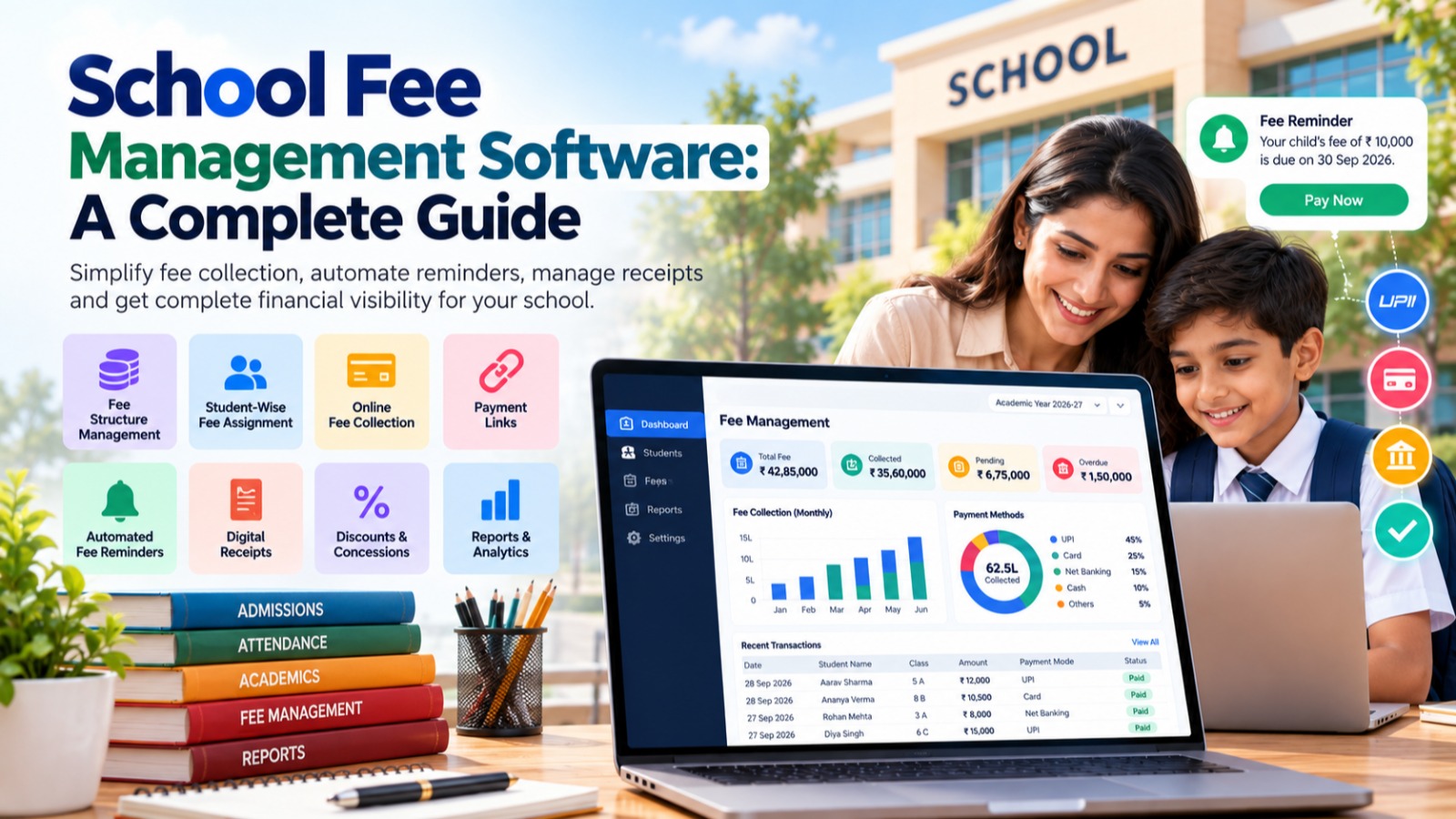

Managing school fees is one of the most important administrative responsibilities of an educational institution.
From creating fee structures and assigning fees to students to collecting payments, issuing receipts, sending reminders, managing discounts, and generating financial reports, the fee management process involves many activities.
When these activities are managed manually through registers, spreadsheets, receipts, and multiple applications, schools can face unnecessary administrative work and difficulties in maintaining accurate records.
This is where School Fee Management Software can help.
A modern fee management system allows schools to manage their entire fee collection process digitally from a centralized platform. It can help automate routine activities, provide better visibility into pending and collected fees, simplify communication with parents, and reduce repetitive administrative work.
For schools looking to modernize their financial operations, fee management is often one of the most valuable areas to automate.
What Is School Fee Management Software?
School Fee Management Software is a digital system designed to help educational institutions manage student fees and related financial activities.
Depending on the platform, it can provide features for:
-
Creating fee structures
-
Assigning fees to students
-
Managing installments
-
Collecting online payments
-
Generating payment receipts
-
Tracking pending fees
-
Sending fee reminders
-
Managing discounts and concessions
-
Applying late fees
-
Recording offline payments
-
Managing payment links
-
Generating collection reports
-
Tracking transactions
-
Managing refunds and adjustments
When fee management is part of a complete School ERP System, it can also connect fee information with student profiles, admissions, transport, hostel, examinations, and other school operations.
This creates a centralized system instead of requiring the accounts department to maintain information across multiple applications.
Why Do Schools Need Fee Management Software?
Fee collection may look simple from the outside, but school fee administration can become complicated.
A school may have:
-
Different classes
-
Different fee structures
-
Multiple fee heads
-
Monthly or quarterly installments
-
Admission fees
-
Tuition fees
-
Transport fees
-
Hostel fees
-
Examination fees
-
Activity fees
-
Discounts
-
Scholarships
-
Late fees
-
Concessions
-
Different payment methods
Managing all these details manually can consume significant administrative time.
For example, an accountant may have to check an Excel sheet to identify pending payments, another file to calculate discounts, and a receipt register to verify previous payments.
A centralized fee management system brings these processes together.
Instead of asking:
"Where is the fee record?"
the school can simply access the student's profile and view the relevant financial information.
Key Features of School Fee Management Software
A good School Fee Management System should provide features that cover the complete fee lifecycle.
Let's look at the most important features.
1. Flexible Fee Structure Management
Every school has its own fee structure.
For example, a school may charge:
-
Admission Fee
-
Tuition Fee
-
Annual Fee
-
Development Fee
-
Examination Fee
-
Activity Fee
-
Computer Fee
-
Transport Fee
-
Hostel Fee
A fee management system should allow administrators to create and manage different fee structures according to:
-
Academic year
-
Class
-
Section
-
Student category
-
Fee type
-
Installment
-
Transport assignment
-
Hostel assignment
This eliminates the need to manually calculate the same fee information repeatedly.
2. Student-Wise Fee Assignment
After creating a fee structure, schools need to assign applicable fees to students.
A digital fee management system can help administrators assign fees based on the student's:
-
Class
-
Section
-
Academic year
-
Admission category
-
Transport service
-
Hostel allocation
-
Applicable discounts
-
Other school-specific rules
This makes it easier to determine exactly what each student is required to pay.
3. Online Fee Collection
Parents increasingly expect convenient digital payment options.
A modern School Fee Management System can integrate online payment methods so parents can pay fees without visiting the school office.
Depending on the payment gateway and ERP implementation, schools may support options such as:
-
UPI
-
Debit cards
-
Credit cards
-
Net banking
-
Digital wallets
-
Payment links
Online payments can reduce queues at the fee counter and make the payment process more convenient for parents.
4. Fee Payment Links
Payment links can make fee collection even easier.
Instead of asking parents to visit the school office or manually navigate through a payment process, the school can provide a payment link containing the relevant payment information.
Parents can open the link and complete the payment online.
This can be particularly useful for:
-
Pending fees
-
Installment payments
-
Special charges
-
Transport fees
-
Hostel fees
-
Other outstanding amounts
5. Automated Fee Reminders
One of the most important features of fee management software is automated reminders.
Without automation, school staff may have to manually identify students with pending fees and contact parents.
A digital system can help send reminders through supported communication channels.
Reminders can be used for:
-
Upcoming due dates
-
Due-date notifications
-
Overdue fees
-
Pending installments
-
Payment confirmation
-
Receipt notifications
This reduces repetitive work for the accounts department while keeping parents informed.
6. Pending Fee Tracking
School management needs to know how much money has been collected and how much remains outstanding.
A centralized fee system can provide a clear view of:
-
Total assigned fees
-
Total collected fees
-
Pending fees
-
Overdue fees
-
Today's collection
-
Monthly collection
-
Class-wise collection
-
Student-wise outstanding fees
This gives school administrators better visibility into the financial status of fee collection.
7. Digital Fee Receipts
Traditional paper receipts can become difficult to maintain over time.
A fee management system can generate digital receipts whenever a payment is recorded.
Receipts can contain information such as:
-
Student name
-
Admission number
-
Class
-
Fee details
-
Amount paid
-
Payment method
-
Transaction information
-
Payment date
-
Receipt number
-
Outstanding balance
Digital receipts are easier to search, store, and retrieve when required.
8. Discounts and Concessions
Schools may provide discounts or concessions based on their policies.
Examples include:
-
Sibling discounts
-
Merit-based concessions
-
Staff-child concessions
-
Scholarship discounts
-
Special concessions
-
Management-approved discounts
A fee management system can maintain these adjustments as part of the student's financial record.
This helps reduce manual calculations and provides a clear history of applied discounts.
9. Late Fee Management
Some schools apply a late fee when payments are made after the due date.
Instead of calculating late charges manually, software can apply predefined rules based on the school's configuration.
For example, the system may support:
-
Fixed late fees
-
Date-based late fees
-
Installment-specific rules
-
Grace periods
The exact functionality depends on the fee management platform and the school's configured policies.
10. Multiple Payment Methods
Schools may receive payments through several methods.
A fee management system can maintain records for methods such as:
-
Cash
-
Cheque
-
UPI
-
Bank transfer
-
Online payment gateway
-
Card payment
-
Other configured payment methods
Having these transactions in a single system makes reconciliation and reporting easier.
11. Fee Collection Reports
Reports are essential for school management and the accounts department.
A fee management system can generate reports such as:
Daily Collection Report
Shows fees collected during a particular day.
Monthly Collection Report
Provides a summary of collections during a selected month.
Class-Wise Collection Report
Shows collection information by class.
Student-Wise Fee Report
Displays the fee history of an individual student.
Pending Fee Report
Shows students with outstanding payments.
Payment Mode Report
Provides a breakdown of collections based on payment methods.
Discount Report
Shows discounts and concessions applied to students.
Transaction Report
Provides details of recorded transactions.
These reports can help management understand fee collection without manually consolidating information from multiple spreadsheets.
12. Dashboard for School Management
A good School ERP should provide a centralized fee dashboard.
Important indicators may include:
-
Today's fee collection
-
Monthly fee collection
-
Total pending fees
-
Overdue fees
-
Recent transactions
-
Collection by payment method
-
Class-wise collection
-
Upcoming fee due dates
A dashboard allows school owners and principals to quickly understand the current status of fee collection.
Instead of waiting for the accounts department to prepare a report, authorized management users can access the information directly.
13. Integration With Student Management
One of the biggest advantages of using fee management as part of a School ERP is integration with student records.
The fee record can be associated with the student's:
-
Name
-
Admission number
-
Class
-
Section
-
Parent information
-
Academic year
-
Transport information
-
Hostel information
This means the accounts department does not have to maintain a completely separate student database.
14. Transport and Hostel Fee Management
Schools that provide transportation or hostel facilities may need to manage additional charges.
For example:
Transport fees can be associated with:
-
Route
-
Vehicle
-
Transport assignment
-
Student
Hostel fees can be associated with:
-
Hostel
-
Room
-
Student
-
Hostel allocation
When these modules are connected with fee management, applicable charges can be managed more systematically.
15. Better Parent Experience
Fee collection is not only an accounting activity. It is also part of the parent experience.
Parents want to know:
-
How much do I need to pay?
-
When is the payment due?
-
Have I already paid?
-
What is still pending?
-
Can I pay online?
-
Can I download my receipt?
A well-designed fee management system can provide this information through a parent portal or mobile application.
This reduces the need for parents to repeatedly contact the school office for basic payment information.
16. Reduces Manual Data Entry
Manual data entry is one of the biggest challenges in school administration.
Consider a typical process:
-
Parent makes payment.
-
Accountant checks the payment.
-
Accountant updates Excel.
-
Receipt is prepared.
-
Another register is updated.
-
Pending amount is recalculated.
-
Parent is informed.
An integrated fee management system can automate or simplify many of these steps.
Once the payment is successfully recorded, the relevant fee balance and transaction information can be updated in the system.
This can significantly reduce repetitive work.
17. Improves Fee Collection Transparency
A centralized system creates a structured record of fee transactions.
Authorized users can see:
-
Who paid
-
How much was paid
-
When payment was made
-
Which fee was paid
-
Which payment method was used
-
What amount remains pending
This improves visibility for the school administration and makes it easier to review transactions when required.
18. Helps With Financial Planning
Fee collection data can also help school management understand financial trends.
Management can analyze:
-
Monthly collections
-
Outstanding fees
-
Class-wise collections
-
Payment patterns
-
Discounts
-
Collection trends
This information can support financial planning and operational decision-making.
However, schools should ensure that reports and dashboards are based on accurate transaction data and appropriately configured accounting processes.
School Fee Management Software vs. Excel
Many schools still use Excel for fee management.
Excel can be useful for simple records, but as the number of students and fee rules increases, maintaining multiple spreadsheets can become difficult.
| Excel-Based Fee Management | School Fee Management Software |
|---|---|
| Manual data entry | Automated workflows |
| Multiple spreadsheets | Centralized database |
| Manual calculations | Configured fee calculations |
| Manual reminders | Automated reminders |
| Manual receipts | Digital receipts |
| Limited online payment integration | Online payment support |
| Manual pending-fee tracking | Automated outstanding balances |
| Manual reports | Automated reports |
| Difficult multi-user management | Role-based access |
| Limited dashboards | Real-time operational dashboards |
The key difference is not simply that one uses Excel and the other uses software.
The important difference is that dedicated software can connect fee collection with the rest of the school's operations.
Benefits of School Fee Management Software
Implementing a fee management system can provide several operational benefits.
For School Owners and Management
-
Better visibility into collections
-
Centralized financial information
-
Faster reporting
-
Easier monitoring of pending fees
-
Reduced dependency on manual reports
For Accountants
-
Less repetitive data entry
-
Faster payment recording
-
Automated receipts
-
Easier reconciliation
-
Simplified reports
-
Better pending-fee tracking
For Parents
-
Convenient online payments
-
Payment reminders
-
Easy access to fee details
-
Digital receipts
-
Payment links
-
Better transparency
For School Administrators
-
Centralized student fee records
-
Easier fee structure management
-
Better coordination with other departments
-
Faster access to information
How to Choose the Right School Fee Management Software
Not every school has the same fee structure or operational requirements.
Before selecting software, schools should evaluate the following areas.
1. Fee Structure Flexibility
Make sure the software can support your actual fee structure rather than forcing the school to change its existing process.
2. Online Payment Integration
Check which payment methods and payment gateways are supported.
3. Automated Reminders
Verify whether the system can send reminders based on your school's requirements.
4. Reports
Check whether the software provides the reports required by management and the accounts department.
5. Student Integration
Fee records should ideally connect with student profiles and academic information.
6. Role-Based Access
Different users should have appropriate permissions.
For example, a cashier may need access to payment collection while a principal may require broader reporting access.
7. Security
Schools should evaluate authentication, authorization, backups, data protection, and other security practices before selecting a platform.
8. Mobile Accessibility
Parents and school management increasingly expect important information to be accessible through mobile devices.
9. Scalability
The system should be able to accommodate increasing numbers of students, staff, transactions, and potentially multiple branches.
10. Support
Implementation, onboarding, training, and technical support are important factors when adopting any school management platform.
How S2DENTSHIVE Simplifies School Fee Management
S2DENTSHIVE brings fee management into a centralized School ERP environment.
Instead of using one application for student information, another for fees, another for communication, and separate spreadsheets for reports, schools can manage multiple processes through one integrated platform.
S2DENTSHIVE can help schools manage areas such as:
-
Student management
-
Admissions
-
Fee structures
-
Student fee assignment
-
Fee collection
-
Online payments
-
Payment links
-
Fee reminders
-
Digital receipts
-
Discounts and concessions
-
Pending fees
-
Fee reports
-
Expenses
-
Staff management
-
Attendance
-
Examinations
-
Timetable
-
Transport
-
Hostel
-
Library
-
Inventory
-
Communication
-
Events
-
Dashboards
This integrated approach helps schools connect their fee management process with other areas of school administration.
For school owners and principals, the objective is simple:
Manage your school's fees and operations from one centralized system instead of depending on multiple disconnected applications.
The Future of School Fee Collection Is Digital
The way schools collect and manage fees is changing.
Parents increasingly expect convenient digital payment options, while school management needs accurate and easily accessible financial information.
A modern School Fee Management System can bridge these requirements by combining:
Fee Structures + Online Payments + Payment Links + Reminders + Receipts + Reports + Student Records
When these functions work together, fee management becomes more organized and easier to monitor.
The goal is not simply to collect fees digitally.
The real goal is to create a transparent, efficient, and connected fee management process for the entire school.
Conclusion
School fee management involves much more than recording payments.
Schools need to create fee structures, assign fees, manage installments, process payments, apply discounts, track pending amounts, send reminders, generate receipts, reconcile transactions, and prepare reports.
Managing all of this manually can consume valuable time and increase the possibility of errors.
School Fee Management Software provides a centralized way to automate and organize these activities.
With features such as online fee collection, payment links, automated reminders, digital receipts, pending fee tracking, discounts, reports, and dashboards, schools can simplify their financial administration while providing parents with a more convenient payment experience.
When fee management is integrated with a complete School ERP System, schools can go one step further by connecting fees with admissions, students, attendance, transport, hostel, staff, examinations, and other operations.
For schools looking to reduce administrative complexity and move toward centralized digital management, a modern School ERP such as S2DENTSHIVE can provide a single platform for managing the institution's day-to-day operations.
One school. One centralized system. Simpler fee management.
Comments (0)
Share your thoughts or ask a question about this article.
Leave a Comment