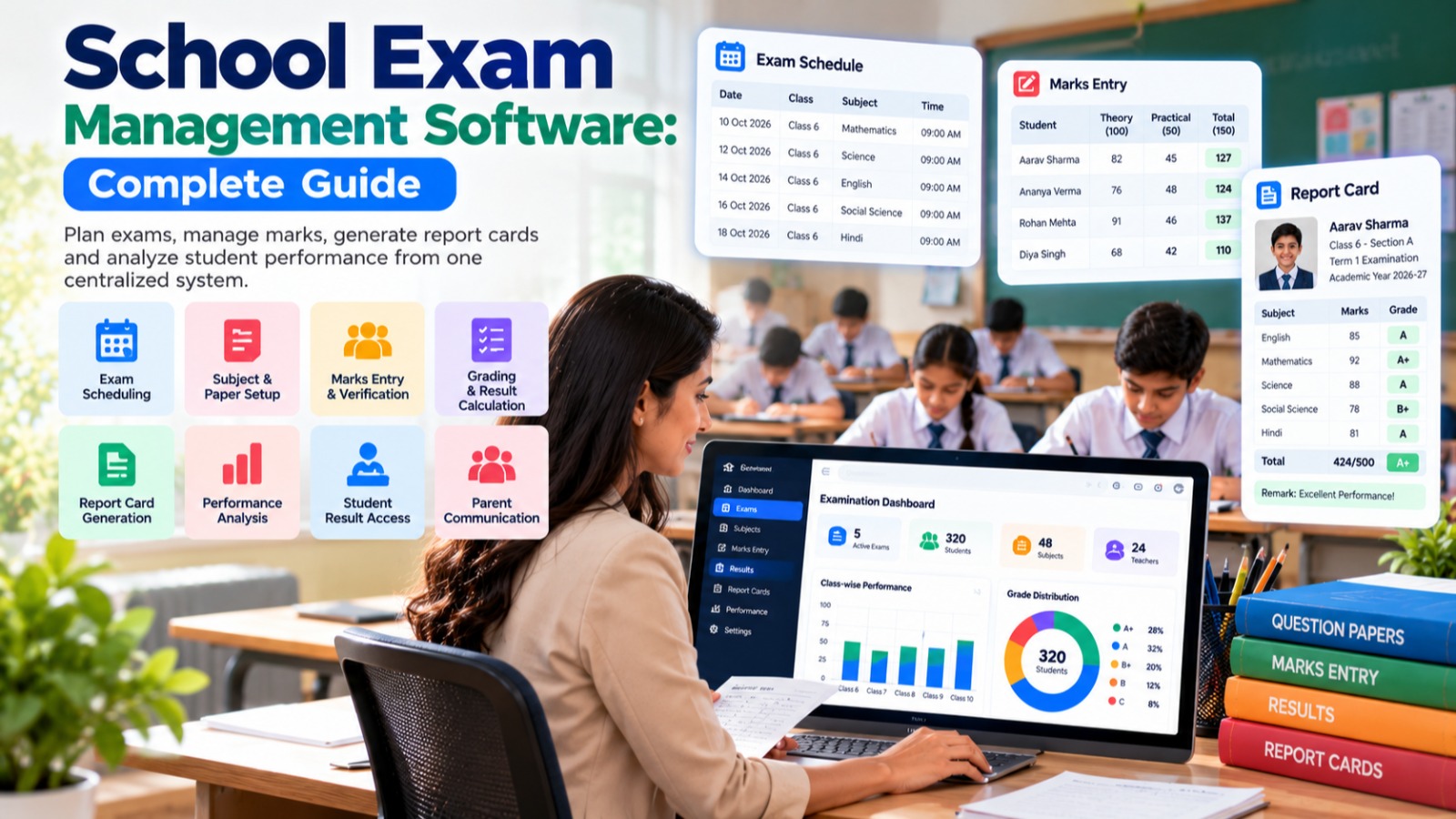

Examinations are one of the most important academic activities in every school.
From creating examination schedules and assigning subjects to entering marks, calculating grades, preparing report cards, publishing results, and analyzing student performance, examination management involves many steps.
When these activities are managed using paper registers, spreadsheets, and multiple disconnected files, the examination process can become time-consuming and prone to administrative errors.
This is where School Exam Management Software can help.
A modern examination management system helps schools organize the complete examination workflow through a centralized digital platform.
From exam creation and timetable management to marks entry, grading, report cards, and performance analysis, schools can manage important examination activities in a structured system.
When examination management is integrated with a complete School ERP, exam information can also connect with student records, classes, subjects, attendance, teachers, and academic reports.
What Is School Exam Management Software?
School Exam Management Software is a digital system designed to help educational institutions manage examinations and student assessments.
Depending on the platform, it can help schools manage:
-
Academic sessions
-
Examination types
-
Exam schedules
-
Subjects
-
Classes
-
Sections
-
Students
-
Marks
-
Grades
-
Assessment components
-
Report cards
-
Results
-
Performance reports
-
Teacher mark entry
-
Student performance analysis
Instead of maintaining separate Excel sheets for every class and examination, schools can manage examination information from a centralized system.
Why Do Schools Need Exam Management Software?
School examinations involve a large amount of data.
Consider a school with:
-
20 classes
-
3 sections per class
-
10 subjects
-
Multiple examinations
-
Hundreds or thousands of students
-
Several teachers entering marks
Managing this information manually can become complicated.
Teachers may need to:
-
Receive mark sheets.
-
Enter marks.
-
Calculate totals.
-
Calculate percentages.
-
Assign grades.
-
Submit marks.
-
Correct mistakes.
-
Prepare result sheets.
The examination department may then have to combine all this information and create report cards.
A centralized exam management system can simplify these processes.
Common Challenges of Manual Examination Management
Schools using paper and spreadsheets may face challenges such as:
-
Repeated data entry
-
Manual calculations
-
Marks-entry errors
-
Difficulty tracking missing marks
-
Multiple versions of spreadsheets
-
Slow result preparation
-
Manual report card creation
-
Difficult historical record management
-
Time-consuming result corrections
-
Limited performance analytics
As the number of students and examinations increases, these challenges can become more significant.
How School Exam Management Software Simplifies Examinations
A digital examination workflow can look like:
Create Exam
↓
Configure Subjects
↓
Create Exam Schedule
↓
Assign Teachers
↓
Enter Marks
↓
Verify Marks
↓
Calculate Results
↓
Generate Report Cards
↓
Publish Results
This provides a structured examination process from start to finish.
Key Features of School Exam Management Software
1. Examination Creation
Schools conduct different types of examinations throughout the academic year.
Examples include:
-
Unit Tests
-
Periodic Tests
-
Class Tests
-
Mid-Term Exams
-
Half-Yearly Exams
-
Pre-Board Exams
-
Annual Exams
-
Practical Exams
-
Internal Assessments
An examination management system can allow administrators to create different examinations according to the school's academic calendar.
2. Class-Wise Examination Management
Different classes may have different examination structures.
For example:
Class 5
may have one set of subjects and assessment rules.
Class 10
may have different subjects, marks, practicals, and grading rules.
A flexible exam management system can allow administrators to configure examinations according to class and academic requirements.
3. Subject Management
Subjects form the foundation of examination management.
Schools can associate subjects with:
-
Classes
-
Sections
-
Examinations
-
Teachers
-
Maximum marks
-
Passing marks
-
Assessment components
This makes marks management more structured.
4. Exam Timetable Management
Creating an examination timetable manually can take considerable time.
Administrators need to coordinate:
-
Classes
-
Subjects
-
Dates
-
Time
-
Examination duration
-
Rooms
-
Invigilators
A digital exam timetable can organize these details and make the schedule accessible to relevant users.
For example:
| Date | Class | Subject | Time |
|---|---|---|---|
| 10 Oct | Class 8 | Mathematics | 9:00 AM |
| 12 Oct | Class 8 | Science | 9:00 AM |
| 15 Oct | Class 8 | English | 9:00 AM |
This provides a clear examination schedule for teachers, students, and administrators.
5. Teacher-Wise Mark Entry
Teachers are generally responsible for entering marks for the subjects they teach.
An exam management system can provide teachers with the relevant students and subjects.
For example:
Class: 8-A
Subject: Mathematics
Examination: Term 1
The teacher can enter marks for the students assigned to the subject.
This reduces the need to distribute and collect physical mark sheets.
6. Online Marks Entry
Teachers can enter marks directly into the School ERP.
This can reduce:
-
Paperwork
-
Manual data transfer
-
Repeated data entry
-
Calculation work
Once marks are entered, the system can calculate relevant totals and grades according to configured rules.
7. Marks Validation
Data validation can help identify incomplete or incorrect marks.
For example, if the maximum mark is 100, the system can prevent a teacher from entering a value greater than the configured maximum.
It can also identify:
-
Missing marks
-
Invalid values
-
Incomplete subjects
-
Students without results
This can improve the quality of examination data.
8. Marks Verification and Approval
Some schools require marks to be reviewed before results are published.
An examination workflow can support stages such as:
Teacher Entry
↓
Verification
↓
Approval
↓
Result Generation
This provides better control over the result publication process.
9. Automatic Result Calculation
Manual calculation of totals and percentages can be time-consuming.
Exam software can calculate:
-
Subject totals
-
Overall totals
-
Percentages
-
Grades
-
Pass/fail status
-
Assessment totals
The exact calculations depend on the school's configured examination rules.
This reduces repetitive mathematical work for teachers and administrators.
10. Flexible Grading System
Different schools may use different grading systems.
For example:
-
A+
-
A
-
B+
-
B
-
C
-
D
-
E
Some institutions may use numerical marks instead.
A flexible system can allow administrators to configure grading rules according to their academic requirements.
11. Internal and External Assessment
Some examinations include multiple assessment components.
For example:
Theory
Practical
Internal Assessment
=
Final Result
An examination management system can support multiple components where required.
This is particularly useful for subjects that include practical or internal assessment marks.
12. Report Card Generation
Preparing report cards manually can be one of the most time-consuming parts of examination management.
A School ERP can generate report cards using the marks and grading information already stored in the system.
A report card may include:
-
Student information
-
Class
-
Section
-
Subject-wise marks
-
Grades
-
Total marks
-
Percentage
-
Attendance
-
Remarks
-
Teacher comments
-
Result status
This can significantly reduce manual report preparation.
13. Student-Wise Result
Teachers and administrators can access an individual student's result.
For example:
Student: Aarav Sharma
Class: 8-A
| Subject | Marks | Grade |
|---|---|---|
| English | 82 | A |
| Mathematics | 91 | A+ |
| Science | 87 | A |
| Social Science | 79 | B+ |
The exact grading structure can be configured according to school requirements.
14. Class-Wise Result Analysis
Management may also want to understand the overall performance of a class.
Reports can include:
-
Class average
-
Subject average
-
Highest marks
-
Lowest marks
-
Pass percentage
-
Grade distribution
-
Student-wise performance
This gives teachers and administrators a broader view of academic performance.
15. Subject-Wise Performance Analysis
Schools can analyze performance by subject.
For example:
Mathematics
Average: 72%
Science
Average: 76%
English
Average: 81%
This may help teachers and academic administrators identify subjects that require additional attention.
16. Student Performance History
A digital system can maintain examination history across academic sessions.
Authorized users can potentially compare:
-
Previous examination
-
Current examination
-
Previous academic year
-
Current academic year
This makes it easier to understand changes in a student's academic performance over time.
17. Examination Reports
A School Exam Management System can provide different reports.
Examination Result Report
Provides overall examination results.
Student Result Report
Shows individual student performance.
Class Result Report
Shows performance across a class.
Subject Result Report
Shows performance by subject.
Grade Distribution Report
Shows the number of students in each grade.
Pass/Fail Report
Provides the configured result status.
Marks Entry Status
Shows which teachers or subjects have completed marks entry.
These reports can reduce the time required to manually prepare examination summaries.
18. Parent Access to Results
Parents often need access to their child's examination results.
A School ERP can provide result information through a parent portal or mobile application.
Depending on the system, parents may be able to view:
-
Examination results
-
Subject-wise marks
-
Grades
-
Report cards
-
Performance history
-
Teacher remarks
This makes result communication more convenient.
19. Student Access to Results
Students can also benefit from digital result access.
Instead of waiting for printed report cards, students may be able to view their results through the school's digital platform.
This can make result communication faster and more organized.
20. Examination and Attendance Integration
Attendance and examinations are two important academic areas.
A School ERP can connect them so that authorized users can view relevant information from the same student profile.
For example:
Student Profile
→ Attendance
→ Examination Results
→ Report Cards
→ Academic Records
This creates a more complete academic record.
21. Examination and Timetable Integration
The examination timetable can be connected with the school's academic structure.
This allows students and teachers to access relevant examination schedules without maintaining separate documents.
The same centralized system can contain:
-
Regular timetable
-
Examination timetable
-
Subjects
-
Teachers
-
Classes
-
Students
22. Examination and Teacher Management
Teachers are responsible for various examination activities.
The system can associate teachers with:
-
Subjects
-
Classes
-
Marks entry
-
Examination schedules
-
Assessment components
This can make it easier for administrators to distribute examination responsibilities.
23. Examination Data Security
Examination results are sensitive information.
Schools should ensure that only authorized users can:
-
Enter marks
-
Edit marks
-
Approve results
-
Generate report cards
-
Publish results
Role-based access can help limit access according to responsibilities.
Schools should also evaluate data backups, authentication, audit trails, and other security controls when selecting an examination management system.
24. Result Publishing
Once results have been reviewed and approved, schools may publish them through supported channels.
Depending on the platform, results can be made available through:
-
Student portal
-
Parent portal
-
Mobile application
-
Digital report cards
-
School website
Schools can determine the appropriate publishing process based on their policies.
Benefits of School Exam Management Software
Benefits for School Owners
-
Centralized academic information
-
Better visibility into examination performance
-
Faster reports
-
Reduced administrative workload
-
Better historical records
Benefits for Principals
-
Examination monitoring
-
Marks-entry status
-
Class performance analysis
-
Subject performance reports
-
Result approval workflows
Benefits for Teachers
-
Easy marks entry
-
Automated calculations
-
Less paperwork
-
Student performance history
-
Simplified report generation
Benefits for Students
-
Easier access to examination schedules
-
Digital results
-
Report cards
-
Performance history
Benefits for Parents
-
Faster access to results
-
Digital report cards
-
Better understanding of academic performance
School Exam Software vs. Excel
Many schools use Excel spreadsheets to manage examination marks.
Excel can be useful for basic calculations, but managing multiple classes, subjects, examinations, and students through separate spreadsheets can become difficult.
| Excel-Based Exam Management | School Exam Management Software |
|---|---|
| Multiple spreadsheets | Centralized examination database |
| Manual calculations | Automated calculations |
| Manual grading | Configured grading rules |
| Manual report cards | Digital report generation |
| Difficult marks tracking | Marks-entry status |
| Manual result consolidation | Automated result processing |
| Limited access control | Role-based permissions |
| Difficult historical analysis | Student performance history |
| Manual reports | Automated reports |
The key benefit of dedicated examination software is that it manages the complete examination workflow, not just marks in a spreadsheet.
How Examination Management Fits Into a School ERP
Examinations are connected to many other school processes.
A complete workflow can look like:
Admission
↓
Student Management
↓
Class & Section
↓
Subject Management
↓
Timetable
↓
Examination
↓
Marks
↓
Results
↓
Report Card
This integrated approach reduces duplicate data entry.
For example, once a student is already present in the School ERP, teachers do not need to manually create a separate student record for every examination.
How S2DENTSHIVE Helps With Examination Management
S2DENTSHIVE provides examination management as part of a broader School ERP ecosystem.
Schools can manage examination-related processes alongside:
-
Student Management
-
Admissions
-
Attendance
-
Timetable
-
Classes and Sections
-
Subjects
-
Staff Management
-
Fees
-
Communication
-
Reports
-
Assignments
-
Transport
-
Hostel
-
Library
-
Inventory
This integrated approach allows examination information to remain connected with the student's broader school record.
For example:
Student
→ Class & Section
→ Subjects
→ Attendance
→ Examination
→ Marks
→ Result
→ Report Card
Instead of maintaining separate files for each stage, schools can work toward managing the academic lifecycle from one centralized platform.
How to Implement Exam Management Software in a School
Successful implementation requires proper planning.
Step 1: Define Examination Types
Identify all examinations conducted during the academic year.
Step 2: Configure Subjects
Assign subjects to relevant classes and sections.
Step 3: Configure Marks and Grading
Define maximum marks, passing marks, grades, and assessment components.
Step 4: Create Examination Schedules
Add dates, subjects, times, and other examination details.
Step 5: Assign Teachers
Give relevant teachers access to their classes and subjects.
Step 6: Enter Marks
Teachers enter marks after examinations.
Step 7: Verify Results
Authorized administrators review marks and calculations.
Step 8: Generate Report Cards
Generate student report cards after approval.
Step 9: Publish Results
Make results available to students and parents according to the school's policy.
What Should Schools Look for in Exam Management Software?
Before selecting a School Exam Management System, schools should evaluate:
Flexible Examination Configuration
Can the system support different examination types?
Marks Management
Can teachers easily enter and update marks?
Grading
Can the school configure its grading rules?
Report Cards
Can report cards be generated according to the school's format?
Teacher Access
Can teachers access only the classes and subjects assigned to them?
Result Approval
Does the system support verification before publishing results?
Reports
Are class-wise, subject-wise, and student-wise reports available?
Historical Records
Can authorized users access previous examination results?
Integration
Can examination management connect with students, subjects, attendance, timetable, and other ERP modules?
Security
Does the system provide appropriate role-based access and data protection?
The Future of School Examination Management
School examination management is moving from paper-based processes toward integrated digital workflows.
Modern examination systems can combine:
Exam Scheduling + Marks Entry + Grading + Report Cards + Results + Analytics
When these components are connected, teachers and administrators can spend less time on repetitive calculations and data entry.
Digital examination management can also make academic information easier to access for authorized students, parents, teachers, and management.
The goal is not simply to replace a paper mark sheet.
The goal is to create a connected academic assessment system.
Conclusion
Examinations involve many activities, from scheduling and marks entry to grading, result calculation, report card generation, and performance analysis.
Managing these processes manually through paper registers and spreadsheets can become increasingly difficult as the number of students, classes, and examinations grows.
School Exam Management Software provides a centralized way to organize the complete examination lifecycle.
With features such as examination scheduling, subject management, marks entry, grading, result calculation, report cards, performance analysis, and digital result access, schools can make examination administration more organized.
When examination management is integrated with a complete School ERP, it can connect with student management, attendance, timetable, subjects, teachers, assignments, and other academic functions.
For school owners, principals, and academic administrators looking to reduce manual work and improve examination management, an integrated platform such as S2DENTSHIVE can help bring these processes together.
Plan exams. Manage marks. Generate results. Track performance — from one centralized School ERP.
Comments (0)
Share your thoughts or ask a question about this article.
Leave a Comment