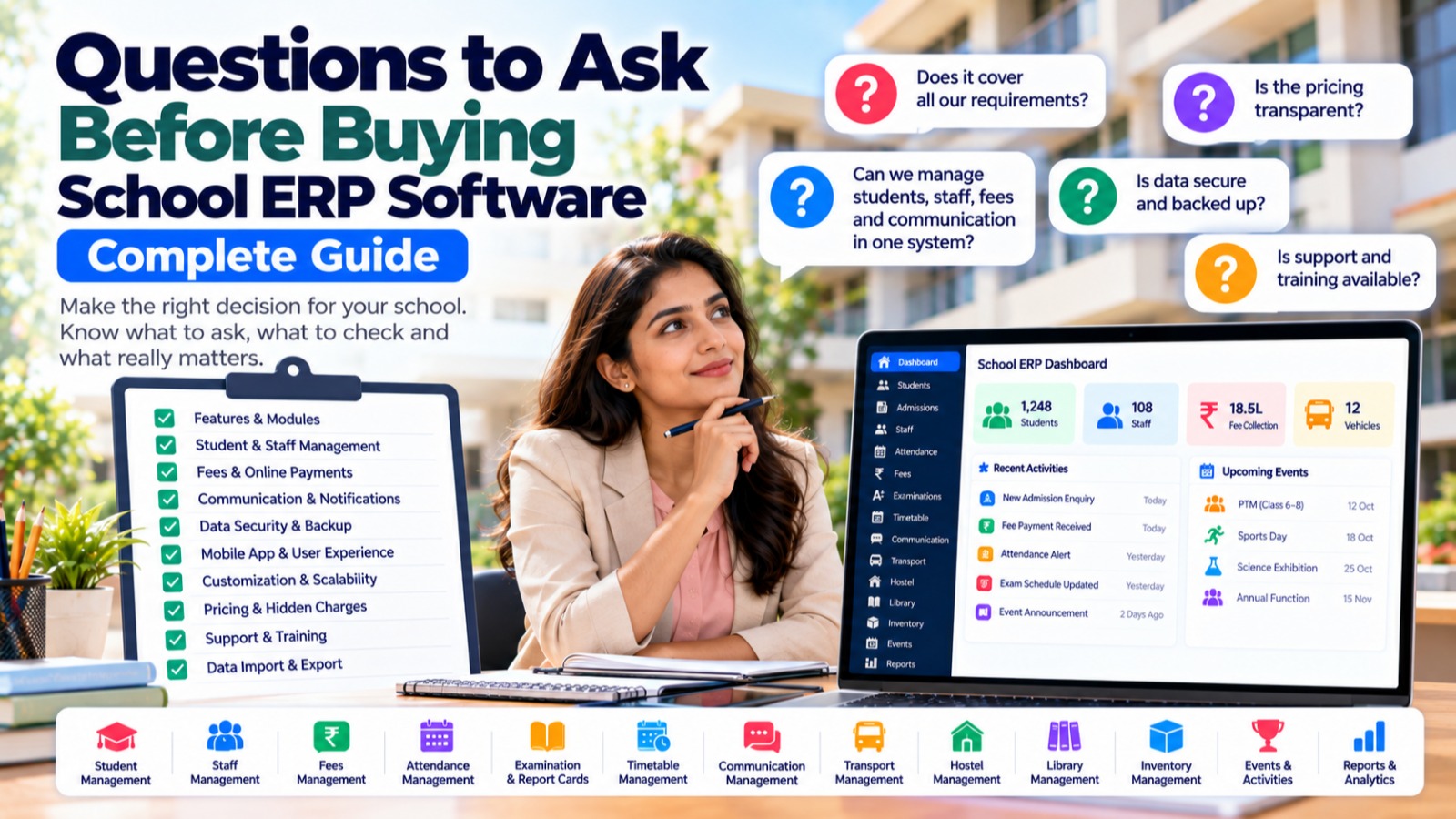

Choosing the right School ERP Software is an important decision for school owners, principals, and administrators. A School ERP is not simply another software application—it can become the central platform through which a school manages students, staff, admissions, attendance, fees, examinations, communication, transport, hostel, library, inventory, and other daily operations.
With many School ERP providers available, it can be difficult to determine which solution is suitable for a particular institution.
Before purchasing a School ERP, schools should ask detailed questions about features, usability, integrations, security, pricing, implementation, support, scalability, and data management.
This guide provides a practical checklist of questions that school owners and administrators should ask before selecting School ERP Software.
Why Should Schools Carefully Evaluate School ERP Software?
A School ERP can become an important part of daily school operations.
Once implemented, the system may contain information about:
- Students
- Parents
- Teachers
- Staff
- Attendance
- Fees
- Admissions
- Examinations
- Timetables
- Communication
- Transport
- Hostel
- Library
- Inventory
- Expenses
- Reports
Changing ERP systems later can involve data migration, staff training, process changes, and additional administrative work.
Therefore, schools should evaluate an ERP based on their actual requirements rather than selecting a platform only because it has a large number of features.
1. Does the School ERP Cover Our Core Requirements?
The first question should be:
Does the software actually solve our school's most important problems?
Create a list of current school processes and check whether the ERP supports them.
Important areas may include:
- Student management
- Admissions
- Staff management
- Attendance
- Fees
- Examinations
- Report cards
- Timetable
- Homework
- Communication
- Transport
- Hostel
- Library
- Inventory
- Events
- Expenses
- Reports
A school should prioritize the modules it actually needs instead of paying for features that will never be used.
2. Is It a Complete School ERP or Just One Module?
Some software solutions focus primarily on one area, such as:
- Attendance
- Fees
- Admissions
- Communication
- Learning management
Ask whether the platform provides a broader School ERP ecosystem.
A centralized platform can reduce the need to purchase and maintain multiple applications.
For example:
Student → Attendance → Fees → Examination → Report Card → Communication
When these processes are connected, administrators may not need to enter the same information repeatedly.
3. Can We Manage Students From One Centralized Database?
Student information is at the center of many school processes.
Ask:
- Can we maintain complete student profiles?
- Can parents and guardians be linked?
- Can students be assigned to classes and sections?
- Can student documents be managed?
- Can student history be maintained?
- Can the same student information be used across modules?
The student database should ideally act as a central source of information for relevant School ERP modules.
4. Does It Provide Admission Management?
Admissions are often one of the first interactions between a student and the school.
Ask whether the ERP supports:
- Enquiries
- Admission forms
- Follow-ups
- Document collection
- Interviews
- Entrance tests
- Admission status
- Enrollment
- Student conversion
Also ask whether an admitted student can automatically become part of the main student database.
5. How Does Staff and Teacher Management Work?
Schools need to manage both teaching and non-teaching employees.
Ask whether the software supports:
- Staff profiles
- Teacher management
- Departments
- Designations
- Roles
- Permissions
- Staff attendance
- Leave
- Teacher assignments
- Employment information
It is also useful to understand whether teacher information can connect with timetable, subjects, classes, attendance, and examinations.
6. How Does Attendance Management Work?
Attendance is a daily requirement.
Ask:
- How is student attendance recorded?
- Is staff attendance supported?
- Does it support mobile attendance?
- Does it support camera-based attendance if required?
- Can late and half-day attendance be recorded?
- Can attendance reports be generated?
- Can parents receive attendance notifications?
- Can attendance be integrated with other modules?
Schools should evaluate the actual workflow rather than simply checking whether "attendance" appears on the feature list.
7. How Does Fee Management Work?
Financial management is one of the most important parts of a School ERP.
Ask whether the system supports:
- Fee structures
- Fee groups
- Fee types
- Student-wise fees
- Installments
- Discounts
- Concessions
- Online payments
- Payment links
- Receipts
- Pending fees
- Fee reminders
- Collection reports
Also ask:
Can fee management communicate with parents automatically?
For example:
Pending Fee → Reminder → Payment Link → Payment → Receipt
8. Are Online Payments Supported?
If the school wants to collect fees online, ask:
- Which payment gateway is supported?
- Are payment links available?
- Are online receipts generated?
- How are failed payments handled?
- How are refunds handled?
- Is payment reconciliation available?
- Are transaction reports available?
Schools should also clearly understand any transaction or platform charges before implementation.
9. Does It Provide Examination Management?
Ask whether the ERP can manage the complete examination workflow.
Important areas include:
- Examination creation
- Exam schedules
- Subjects
- Marks entry
- Marks verification
- Grades
- Result calculation
- Report cards
- Performance reports
A strong examination module should reduce manual calculations and duplicate data entry.
10. Can It Generate Report Cards?
Ask:
- Can report card formats be customized?
- Can different classes use different formats?
- Can grades and marks be configured?
- Can teacher remarks be included?
- Can report cards be generated in bulk?
- Can parents access results digitally?
Report card requirements often vary significantly between schools, so customization should be discussed before purchase.
11. Does It Include Timetable Management?
Timetable creation can become complicated when schools have many classes, sections, teachers, and subjects.
Ask whether the software supports:
- Class timetables
- Teacher timetables
- Subject assignments
- Period configuration
- Classroom allocation
- Conflict management
- Timetable import/export
- Timetable changes
Also ask whether the timetable is connected to staff and academic modules.
12. How Does Parent Communication Work?
Communication is a critical School ERP function.
Ask whether the system supports communication with:
- Parents
- Students
- Teachers
- Staff
Also ask about:
- Announcements
- Notifications
- Attendance alerts
- Fee reminders
- Examination updates
- Homework
- Events
- Holiday notices
- Transport updates
Find out which communication channels are supported, such as mobile notifications, SMS, email, WhatsApp integrations, or other configured channels.
13. Can Communication Be Automated?
This is an important question.
Ask:
Can the system automatically trigger communication based on school events?
For example:
Attendance
Student absent → Parent notification
Fees
Fee pending → Fee reminder
Examination
Exam schedule published → Student/parent notification
Events
Event created → Selected group notification
Automation can reduce repetitive administrative work.
14. Does It Include Transport Management?
Schools operating buses should evaluate the transport module carefully.
Ask whether it supports:
- Vehicle management
- Drivers
- Conductors
- Routes
- Stops
- Student assignments
- Trips
- Transport fees
- Parent communication
- Location/tracking capabilities
If live tracking is required, ask whether the solution requires separate hardware, a tracking application, or supports the school's preferred tracking workflow.
15. Does It Include Hostel Management?
For residential and boarding schools, hostel management can be essential.
Ask whether the ERP supports:
- Hostels
- Rooms
- Beds
- Student allocation
- Occupancy
- Vacant beds
- Hostel fees
- Hostel attendance
- Leave
- Hostel staff
- Reports
The most useful setup is one where hostel information is connected with the student's main profile.
16. Does It Include Library Management?
Ask whether the library module supports:
- Book catalog
- Categories
- Authors
- Publishers
- Book copies
- Student membership
- Staff membership
- Issue
- Return
- Due dates
- Overdue tracking
- Fines
- Reservations
- Library reports
Also ask whether the library uses the existing student and staff database rather than requiring separate records.
17. Does It Include Inventory Management?
Schools manage many physical resources.
Ask whether inventory management supports:
- Inventory types
- Items
- Vendors
- Purchases
- Assets
- Stock
- Asset tags
- Bookings
- Issue records
- Reports
If the school already has inventory data in Excel, ask whether it can be imported.
18. Can We Import Existing Data?
Data migration is an important part of ERP implementation.
Ask:
Can our existing Excel or CSV data be imported into the system?
Important data may include:
- Students
- Parents
- Staff
- Classes
- Subjects
- Fees
- Inventory
- Library books
- Other institutional records
Also ask whether the provider helps clean and validate data before migration.
19. Can We Export Our Data?
This question is often overlooked.
Ask:
- Can student data be exported?
- Can fee reports be exported?
- Can attendance reports be downloaded?
- Can staff records be exported?
- Can reports be downloaded in Excel or PDF?
- Can the school retrieve its data if it changes software later?
Schools should understand their data access and export options before implementation.
20. Is the Software Cloud-Based?
Ask where the ERP is hosted.
A cloud-based system can allow authorized users to access the software through the internet without installing the application on every computer.
Ask:
- Where is the system hosted?
- How is data backed up?
- What happens if the server has an outage?
- How is uptime managed?
- Is there disaster recovery?
- Can the school access the system from multiple locations?
21. How Secure Is the School ERP?
School ERP systems handle sensitive institutional information.
Ask about:
- User authentication
- Role-based access
- Permissions
- Data encryption
- Backups
- Server security
- Audit logs
- Password policies
- Data recovery
- Access controls
Schools should understand how access to student, staff, financial, and administrative information is controlled.
22. Does It Support Role-Based Permissions?
Different employees should generally have different access requirements.
For example:
Principal: Management and academic access
Teacher: Students, attendance, timetable, homework
Accountant: Fees and financial information
Librarian: Library
Transport Manager: Transport
Hostel Administrator: Hostel
Ask whether the ERP allows administrators to create and customize roles and permissions according to their organizational structure.
23. Can Multiple Branches Be Managed?
If the institution has multiple branches, ask whether the system supports multi-branch management.
Questions include:
- Can each branch have separate students?
- Can staff be assigned to branches?
- Can fees be managed separately?
- Can branch-wise reports be generated?
- Can management view consolidated reports?
- Can users have branch-specific permissions?
This becomes important as the institution expands.
24. Is the Software Scalable?
Do not evaluate software only based on today's student count.
Ask:
Will this system continue to work if our school grows?
Consider:
- More students
- More staff
- More branches
- More users
- More transactions
- More modules
The ERP should be able to accommodate institutional growth without requiring a complete system replacement.
25. Is the User Interface Easy to Use?
A powerful ERP is not useful if teachers and administrators find it difficult to operate.
Ask for a demonstration and evaluate:
- Dashboard
- Student search
- Attendance
- Fee collection
- Reports
- Timetable
- Communication
- Mobile interface
It is useful to have actual teachers and administrative staff participate in the demo.
26. Is There a Mobile App?
Many school users access information through smartphones.
Ask whether the platform provides mobile access for:
- Parents
- Students
- Teachers
- Staff
- Administrators
Also ask what functions are available through mobile access.
A mobile application should be evaluated based on actual workflows rather than simply whether an app exists.
27. Can the ERP Integrate With Other Systems?
Schools may already use external services.
Ask whether the ERP can integrate with:
- Payment gateways
- SMS providers
- WhatsApp services
- Biometric devices
- Camera attendance systems
- Transport tracking
- Accounting software
- Other APIs
Integration capabilities become especially important when the school already has established systems.
28. What Are the Total Costs?
Do not look only at the advertised software price.
Ask for a complete cost breakdown covering:
- Setup
- Subscription
- Per-student charges
- Per-school charges
- Implementation
- Training
- Data migration
- Mobile application
- SMS
- WhatsApp messages
- Payment gateway
- Hardware
- Tracking devices
- Customization
- Support
Understanding the total cost helps schools plan their technology budget more accurately.
29. Are There Any Hidden or Additional Charges?
Ask the provider to clearly explain additional charges.
For example:
- Additional users
- Additional branches
- Extra storage
- SMS
- Payment processing
- Custom reports
- Custom development
- API access
- Hardware
- Support
A transparent pricing structure makes budgeting easier.
30. What Support Is Provided After Implementation?
Software implementation does not end after purchasing the ERP.
Ask:
- How can we contact support?
- What are the support hours?
- Is phone support available?
- Is chat support available?
- How are technical issues handled?
- What is the expected response time?
- Is training included?
- Are training materials available?
Also ask what happens when the school needs help during critical periods such as admissions or examinations.
31. Is Staff Training Included?
Different users may require different training.
Ask whether training is available for:
- Administrators
- Teachers
- Accountants
- Reception staff
- Librarians
- Transport staff
- Hostel staff
A good implementation plan should include enough training for users to perform their daily responsibilities.
32. Can the Software Be Customized?
Every school has its own processes.
Ask whether the ERP supports:
- Custom fields
- Custom reports
- Custom workflows
- Custom fee structures
- Custom report cards
- Custom roles
- Custom notifications
- Custom branding
Also ask whether customization is included in the subscription or charged separately.
33. How Frequently Is the Software Updated?
Technology and school requirements change over time.
Ask:
- How often are updates released?
- Are security updates included?
- Are new features added?
- Are existing modules improved?
- Are updates automatic?
Regular product development can be important for long-term ERP adoption.
34. Can We Get a Demo Before Buying?
A demonstration is one of the most useful steps before making a purchase.
During the demo, do not only ask the provider to show the dashboard.
Ask them to demonstrate actual workflows such as:
Student
Add student → Assign class → Add parent
Attendance
Mark attendance → Generate report → Send notification
Fees
Assign fees → Collect payment → Generate receipt
Examination
Create exam → Enter marks → Generate result
Communication
Create announcement → Select recipients → Send notification
Testing actual workflows provides a better understanding of how the system will work in the school.
35. Can We Run a Pilot or Trial?
If possible, ask whether the school can test the ERP before full implementation.
A pilot can help evaluate:
- Ease of use
- Performance
- Staff adoption
- Mobile experience
- Reports
- Data migration
- Support
- Real-world workflows
A pilot can also reveal requirements that may not become apparent during a standard product demonstration.
36. What Happens to Our Data if We Stop Using the Software?
This is an important long-term question.
Ask the provider:
- Can we export our data?
- What format is provided?
- How long is data retained?
- What happens after subscription cancellation?
- Is there a data deletion policy?
- Can we retrieve documents and reports?
Schools should understand the provider's data policies before entering into a long-term agreement.
S2DENTSHIVE as a Centralized School ERP
S2DENTSHIVE provides a centralized School ERP designed to bring multiple school operations together on one platform.
Instead of managing every department through a separate application, schools can use S2DENTSHIVE for areas such as:
- Student Management
- Admissions
- Staff Management
- Attendance
- Camera Attendance
- Fees Management
- Fee Reminders
- Online Payment Links
- Examination Management
- Report Cards
- Timetable Management
- Homework and Assignments
- School Communication
- Transport Management
- Hostel Management
- Library Management
- Inventory Management
- Events and Activities
- Expense Management
- Reports and Dashboards
- Live Classes
For a school evaluating S2DENTSHIVE, the same checklist in this article can be used during the product demonstration and implementation discussion.
The important consideration is to evaluate how the platform fits the school's actual workflows rather than choosing software based only on the number of features advertised.
A Practical School ERP Buying Checklist
Before finalizing a School ERP, school management can use this checklist.
| Question | What to Check |
|---|---|
| Does it cover our requirements? | Required modules |
| Is student management centralized? | Student database |
| Does it manage staff? | Teachers and employees |
| Is attendance integrated? | Student and staff attendance |
| Does it manage fees? | Collection, reminders, receipts |
| Does it manage exams? | Marks, results, report cards |
| Does it manage timetable? | Class and teacher schedules |
| Does it support communication? | Parents, students, staff |
| Does it support transport? | Vehicles, routes, students |
| Does it support hostel? | Rooms, beds, students |
| Does it support library? | Books, issue, return |
| Does it support inventory? | Assets, purchases, stock |
| Can data be imported? | Excel/CSV migration |
| Can data be exported? | Reports and records |
| Is access controlled? | Roles and permissions |
| Is it scalable? | Students, users, branches |
| Is mobile access available? | Parent/staff/student access |
| Are integrations supported? | Payment, SMS, WhatsApp, APIs |
| What is the total cost? | Subscription + additional charges |
| Is support included? | Training and technical support |
| Can we get a demo? | Real workflow demonstration |
| Can we run a pilot? | Practical testing |
| What happens to our data? | Export and retention policy |
10 Questions Every School Owner Should Ask During the Demo
If you have limited time for an ERP demonstration, start with these questions:
- Can you show us how a new student is added and managed across the system?
- Can you demonstrate student and staff attendance?
- How are fees assigned, collected, and followed up?
- Can you demonstrate examination and report card generation?
- How does timetable management work?
- How are parents notified about attendance, fees, and school announcements?
- Can transport, hostel, library, and inventory be managed from the same system?
- How are roles, permissions, and sensitive information controlled?
- What is the complete cost, including additional services?
- How do you handle implementation, training, support, backups, and data export?
These questions can help turn a general sales demonstration into a practical evaluation.
Final Thoughts
Buying School ERP Software is a long-term technology decision. Schools should evaluate more than the user interface or the number of features listed on a website.
The right evaluation should consider:
- Actual school requirements
- Ease of use
- Module integration
- Data security
- Communication
- Reporting
- Mobile access
- Scalability
- Integrations
- Pricing
- Support
- Training
- Data ownership and export
- Implementation
Most importantly, schools should evaluate the complete workflow rather than individual features.
A centralized School ERP should help different departments work with connected information instead of creating another collection of isolated software tools.
S2DENTSHIVE provides a centralized School ERP covering student management, admissions, staff, attendance, fees, examinations, timetable, communication, transport, hostel, library, inventory, events, expenses, reports, and live classes.
Before purchasing any School ERP—including S2DENTSHIVE—school management should use a structured checklist, conduct a practical demonstration, understand the complete pricing model, and verify that the platform fits the institution's actual processes.
Comments (0)
Share your thoughts or ask a question about this article.
Leave a Comment