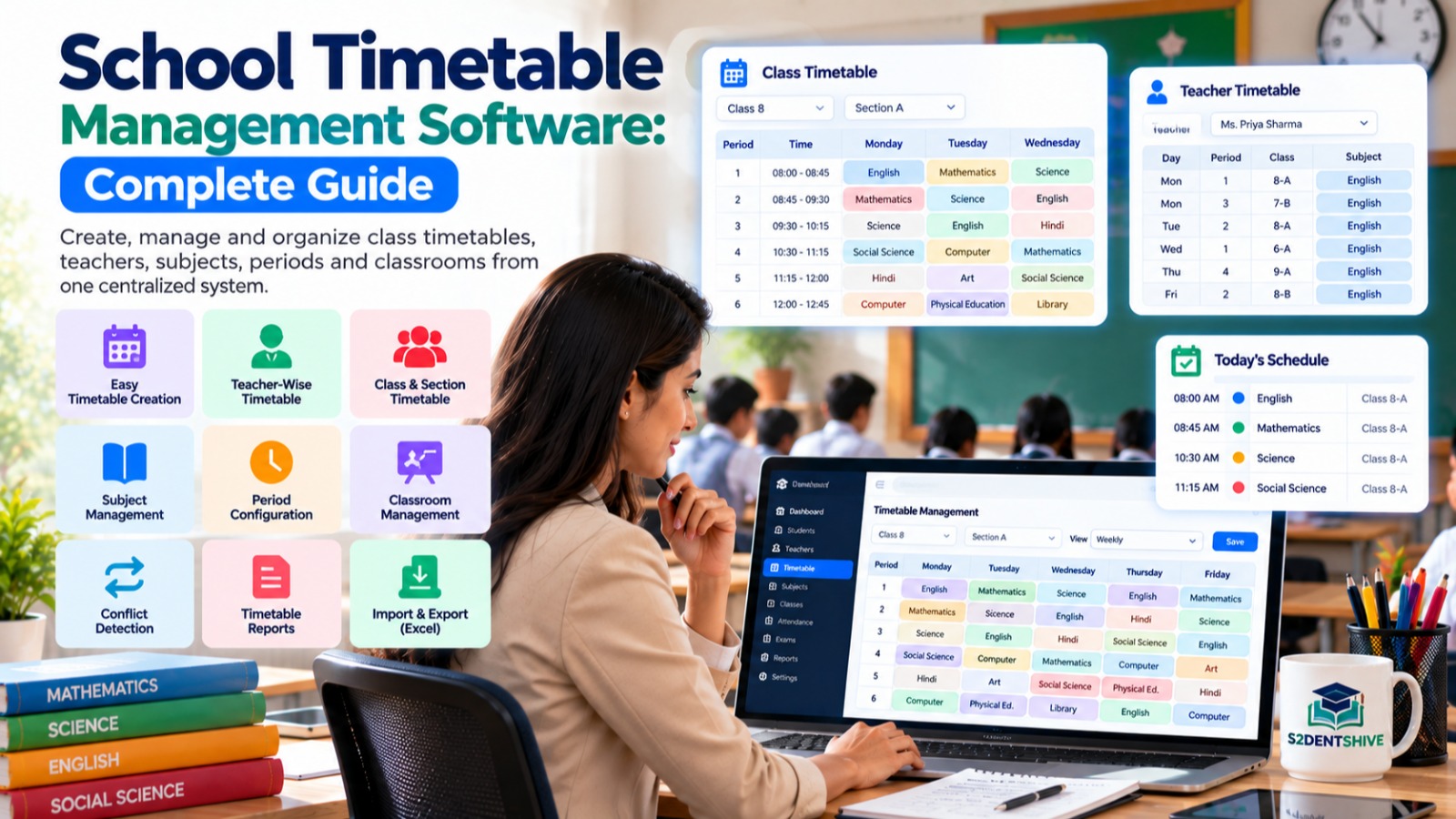

Managing a school timetable manually can be a time-consuming and complicated task. School administrators have to coordinate teachers, subjects, classrooms, sections, periods, working days, substitutions, and teacher availability while avoiding timetable conflicts.
A School Timetable Management Software helps schools automate this entire process. It allows administrators to create, manage, update, and distribute class timetables from a centralized platform.
Modern School ERP platforms such as S2DENTSHIVE provide integrated timetable management along with student management, staff management, attendance, examinations, fees, admissions, transport, communication, and other essential school operations.
This guide explains what school timetable management software is, its key features, benefits, how it works, and how S2DENTSHIVE can help schools manage timetables more efficiently.
What Is School Timetable Management Software?
School Timetable Management Software is a digital solution that helps schools create and manage academic schedules for students, teachers, classes, subjects, rooms, and periods.
Instead of preparing timetables using paper, Excel sheets, or multiple disconnected files, administrators can manage the complete timetable from one centralized system.
A timetable management system can help schools organize:
- Classes and sections
- Subjects
- Teachers
- Periods
- Working days
- Classrooms
- Teacher availability
- Subject allocation
- Free periods
- Teacher schedules
- Class schedules
- Substitution schedules
- Timetable changes
- Academic sessions
The goal is to create an organized timetable while reducing conflicts and manual administrative work.
Why Do Schools Need Timetable Management Software?
Creating a school timetable becomes increasingly difficult as the number of classes, teachers, subjects, and sections increases.
For example, a school may have:
- Multiple classes
- Several sections per class
- Different subject teachers
- Multiple classrooms
- Different period durations
- Practical or activity periods
- Teacher availability restrictions
- Different working days
- Multiple academic schedules
Managing all these combinations manually can result in overlapping classes, teacher conflicts, empty periods, and frequent timetable revisions.
School timetable software provides a structured way to manage these requirements.
Common Problems With Manual Timetable Management
Schools using spreadsheets or paper-based systems may face:
- Teacher timetable conflicts
- Duplicate periods
- Incorrect subject allocation
- Classroom conflicts
- Difficult timetable modifications
- Repeated manual work
- Communication delays
- Difficulty managing multiple sections
- Lack of centralized access
- Errors during timetable updates
A digital timetable management system can significantly simplify these processes.
Key Features of School Timetable Management Software
A modern timetable management solution should provide more than a simple weekly schedule.
Here are some of the most important features.
1. Class and Section Timetable
Administrators can create timetables for individual classes and sections.
The timetable can display:
- Day
- Period
- Subject
- Teacher
- Classroom
- Time
- Section
Students and teachers can easily understand their daily and weekly schedules.
2. Teacher Timetable Management
Teachers need to know where and when they are expected to teach.
The software can provide an individual timetable for each teacher showing:
- Assigned classes
- Subjects
- Periods
- Working days
- Classrooms
- Free periods
This makes it easier for teachers to manage their daily schedules.
3. Subject Management
Subjects can be connected with classes, sections, and teachers.
For example:
| Class | Subject | Teacher | Periods |
|---|---|---|---|
| Class 6-A | Mathematics | Teacher A | 6 |
| Class 6-A | English | Teacher B | 5 |
| Class 6-A | Science | Teacher C | 5 |
| Class 6-A | Computer | Teacher D | 2 |
This structure makes timetable planning easier and more organized.
4. Period Management
Schools can configure their daily periods according to their academic schedule.
For example:
Period 1: 8:00 AM – 8:45 AM
Period 2: 8:45 AM – 9:30 AM
Period 3: 9:30 AM – 10:15 AM
Break: 10:15 AM – 10:30 AM
Period 4: 10:30 AM – 11:15 AM
The timetable system can use these predefined periods while creating schedules.
5. Teacher Availability
Teachers may have different availability requirements.
Timetable software can help administrators consider:
- Teacher working hours
- Assigned periods
- Free periods
- Leave or unavailable periods
- Multiple class assignments
- Subject requirements
This reduces scheduling conflicts.
6. Conflict Detection
One of the most important capabilities of timetable management software is identifying scheduling conflicts.
For example, the system should help prevent situations where:
- The same teacher is assigned to two classes at the same time.
- The same classroom is assigned to multiple classes.
- The same class has two subjects during one period.
- A subject is scheduled more times than required.
- A teacher has overlapping assignments.
Conflict detection can save administrators significant time during timetable preparation.
7. Classroom Management
Schools with limited classrooms, laboratories, computer rooms, libraries, or activity rooms need careful scheduling.
Timetable software can help administrators assign specific rooms to particular classes.
For example:
- Science practical → Science Lab
- Computer class → Computer Lab
- Library period → Library
- Regular class → Assigned Classroom
This makes better use of available school infrastructure.
8. Weekly Timetable View
A weekly timetable provides a complete overview of the academic schedule.
Administrators can view:
Monday | Tuesday | Wednesday | Thursday | Friday | Saturday
along with the subjects and teachers assigned to each period.
This makes it easier to identify gaps and scheduling problems.
9. Teacher-Wise Timetable
A teacher can view their complete schedule from one place.
For example:
Teacher: Mathematics Teacher
| Day | Period | Class | Subject |
|---|---|---|---|
| Monday | 1 | 8-A | Mathematics |
| Monday | 3 | 9-B | Mathematics |
| Tuesday | 2 | 7-A | Mathematics |
| Wednesday | 4 | 10-A | Mathematics |
This eliminates the need for teachers to search through multiple timetable sheets.
10. Student/Class-Wise Timetable
Students can also access the timetable relevant to their class and section.
They can quickly check:
- Today's classes
- Tomorrow's classes
- Subject
- Teacher
- Period
- Classroom
This can be particularly useful when the timetable is integrated with a school mobile application or parent/student portal.
11. Timetable Changes and Updates
School schedules may change because of:
- Teacher leave
- Events
- Examinations
- Holidays
- Special classes
- Meetings
- Activities
- Temporary room changes
A digital timetable makes it easier to update schedules without recreating the entire timetable.
12. Timetable Import and Export
For schools managing large amounts of timetable data, import and export functionality can save considerable time.
Schools may be able to:
- Import timetable data
- Export timetable data
- Download timetable reports
- Share schedules
- Maintain timetable records
Excel-based import/export can also be useful when schools are migrating existing timetable data into an ERP system.
13. Timetable for Multiple Classes and Sections
A large school may have hundreds of timetable combinations.
For example:
- Class 1-A
- Class 1-B
- Class 1-C
- Class 2-A
- Class 2-B
- Class 2-C
- Class 10-A
- Class 10-B
A centralized timetable system allows administrators to manage these schedules systematically.
14. Timetable for Multiple Branches
Schools operating multiple branches may have different:
- Working hours
- Teachers
- Classes
- Subjects
- Period structures
- Academic schedules
A School ERP with centralized timetable management can help administrators manage branch-specific schedules while keeping school operations organized.
Benefits of School Timetable Management Software
Implementing timetable software can provide several benefits.
1. Saves Administrative Time
Creating and modifying timetables manually can take hours or even days.
Digital timetable management reduces repetitive work.
2. Reduces Human Errors
Automated scheduling and conflict detection can reduce common timetable mistakes.
3. Improves Teacher Productivity
Teachers can quickly access their schedules and plan their academic activities.
4. Improves Student Planning
Students can access their daily and weekly schedules more conveniently.
5. Better Classroom Utilization
Schools can organize classrooms, laboratories, libraries, and other resources more effectively.
6. Easier Timetable Modifications
Changes can be made digitally without preparing an entirely new timetable.
7. Centralized Information
Administrators, teachers, students, and parents can access relevant timetable information from a centralized platform.
School Timetable Software vs Excel
Many schools initially use Excel for timetable management. Excel can be useful for basic schedules, but it becomes difficult to manage as the school grows.
| Feature | Excel/Manual | Timetable Software |
|---|---|---|
| Class timetable | Yes | Yes |
| Teacher timetable | Manual | Automated/structured |
| Conflict management | Manual | System-assisted |
| Centralized access | Limited | Yes |
| Timetable updates | Manual | Easy |
| Student access | Limited | Possible |
| Teacher access | Limited | Possible |
| Integration with ERP | No | Yes |
| Multi-class management | Difficult | Easier |
| Reporting | Manual | System-generated |
| Data consistency | Difficult | Better |
The major advantage of software is not simply creating a timetable. It is managing the entire timetable lifecycle digitally.
How Timetable Management Fits Into a School ERP
A timetable should not operate as an isolated system.
It becomes significantly more useful when integrated with other school management modules.
For example:
Teachers → Subjects → Classes → Timetable → Attendance → Exams → Reports
A teacher assigned to a particular class and subject can have their timetable connected with attendance and academic management.
Similarly, class information can be connected with:
- Student management
- Attendance
- Examinations
- Report cards
- Homework
- Communication
- Teacher management
This creates a more connected school management environment.
S2DENTSHIVE Provides School Timetable Management Software
S2DENTSHIVE provides timetable management as part of its School ERP platform, helping schools manage academic schedules from a centralized system instead of depending on separate spreadsheets or applications.
With S2DENTSHIVE, schools can organize their timetable information alongside other important school operations.
The timetable module can be used to manage areas such as:
- Classes and sections
- Subjects
- Teachers
- Periods
- Class schedules
- Teacher schedules
- Academic timetable
- Timetable assignments
- Timetable import/export
- Schedule changes
Because timetable management is part of a broader School ERP system, schools can manage timetable information together with their other academic and administrative processes.
Why Use S2DENTSHIVE for School Timetable Management?
One of the major advantages of using an integrated School ERP is that schools do not need to maintain separate systems for every operation.
With S2DENTSHIVE, schools can manage multiple areas from one centralized platform.
These may include:
- Student Management
- Staff Management
- Admissions
- Attendance
- Camera Attendance
- Fees Management
- Fee Reminders
- Online Payment Links
- Examination Management
- Report Cards
- Timetable Management
- Homework and Assignments
- Transport Management
- Hostel Management
- Library Management
- Inventory Management
- Events and Activities
- Expenses
- Communication
- Reports and Dashboards
- Live Classes
This centralized approach can help school owners and principals reduce dependency on multiple applications.
How a School Can Manage Timetables Using S2DENTSHIVE
A typical timetable management process can follow these steps.
Step 1: Set Up Academic Information
Configure:
- Academic year
- Classes
- Sections
- Subjects
- Teachers
Step 2: Configure Periods
Define the school's daily periods and break times.
Step 3: Assign Subjects and Teachers
Connect subjects with appropriate classes and teachers.
Step 4: Create the Timetable
Prepare schedules for each class and section.
Step 5: Review Teacher Schedules
Check teacher-wise assignments and available periods.
Step 6: Check for Conflicts
Review the timetable for overlapping teacher, class, subject, or room assignments.
Step 7: Publish the Timetable
Once finalized, the timetable can be made available to the relevant school users.
Step 8: Update When Required
If the school schedule changes, administrators can modify the timetable instead of maintaining multiple separate files.
Who Can Benefit From School Timetable Management Software?
Timetable software can be useful for:
- Private schools
- CBSE schools
- ICSE schools
- State board schools
- International schools
- K-12 schools
- School groups
- Multi-branch institutions
- Educational organizations
It is particularly useful for schools with a large number of teachers, classes, sections, and subjects.
What Should Schools Look for in Timetable Software?
Before selecting a timetable management solution, school administrators should consider the following:
1. Easy Timetable Creation
The system should make timetable creation simple for administrators.
2. Teacher Management
It should support teacher-wise schedules and assignments.
3. Class and Section Management
The system should handle multiple classes and sections.
4. Conflict Management
It should help identify scheduling conflicts.
5. Period Configuration
Schools should be able to configure their own periods and breaks.
6. Import and Export
Excel import/export can be useful for schools migrating existing data.
7. Mobile Accessibility
Teachers and students should be able to access relevant schedules conveniently.
8. School ERP Integration
Timetable management should ideally connect with attendance, examinations, staff, students, and other school modules.
9. Multi-Branch Support
School groups should be able to manage schedules for different branches.
10. Reports
Administrators should be able to generate useful timetable reports.
Future of School Timetable Management
School scheduling is becoming increasingly digital.
Modern schools are moving from static timetable sheets toward integrated scheduling systems that connect academic planning with other school operations.
Future timetable management can include:
- Automated scheduling
- Advanced conflict detection
- Teacher availability management
- Mobile timetable access
- Real-time timetable updates
- Substitute teacher management
- Classroom optimization
- Analytics
- AI-assisted timetable generation
- Integration with attendance and academic systems
The objective is to make school scheduling more efficient, flexible, and connected.
Conclusion
School timetable management is an important part of day-to-day school administration. A well-organized timetable ensures that teachers, students, subjects, classrooms, and periods are coordinated properly.
While schools can create basic schedules using Excel or paper, managing complex timetables manually becomes increasingly difficult as the institution grows.
School Timetable Management Software provides a centralized and structured way to create, manage, update, and distribute academic schedules.
S2DENTSHIVE provides timetable management as part of its centralized School ERP, allowing schools to manage timetable operations alongside admissions, students, staff, attendance, fees, examinations, report cards, transport, hostel, library, inventory, communication, live classes, and other school operations.
For school owners and principals, using one centralized School ERP can help reduce dependence on multiple disconnected applications and provide a more organized approach to school management.
Comments (0)
Share your thoughts or ask a question about this article.
Leave a Comment